How to Ride the Ambient AI Wave With ChatGPT Voice
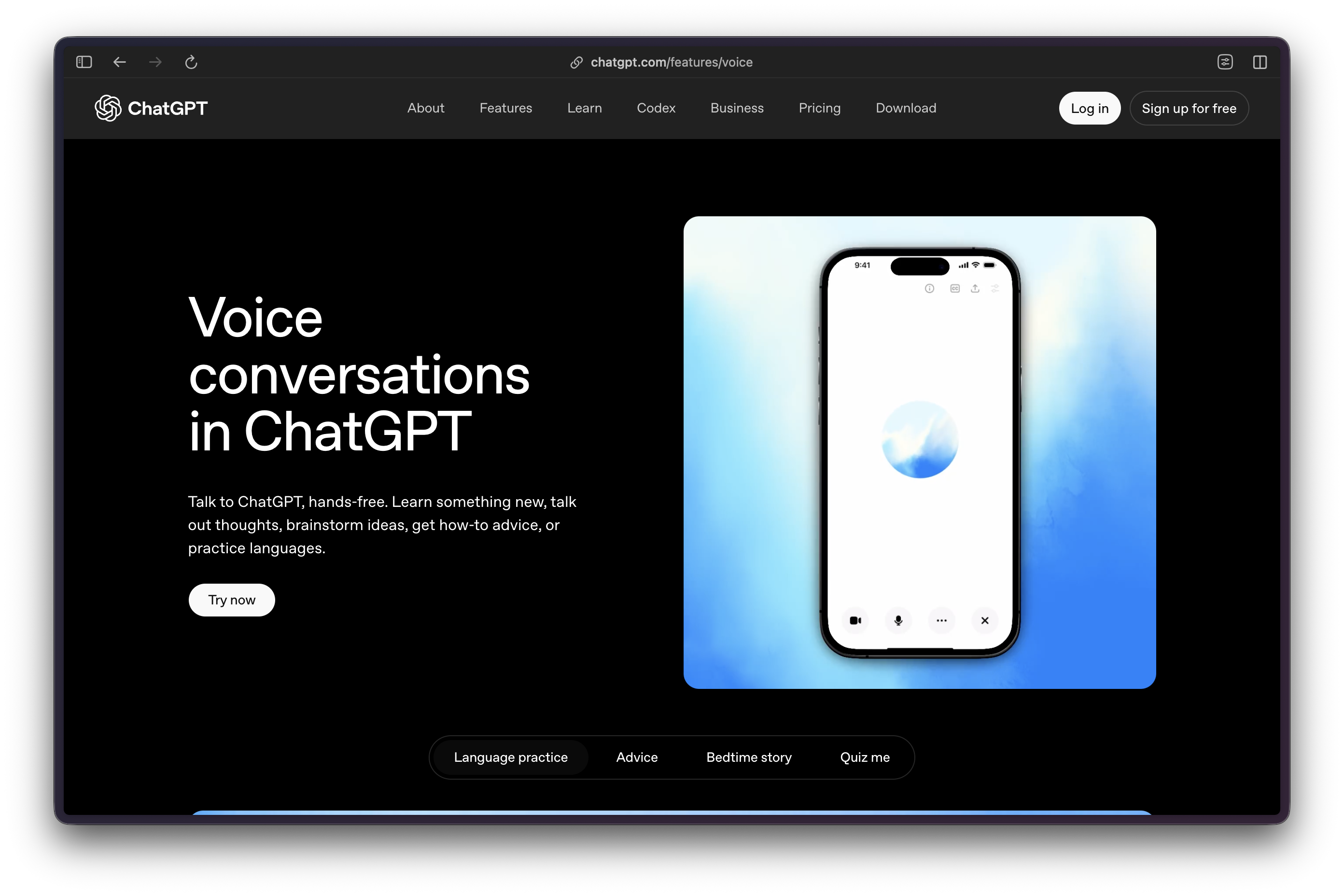
ChatGPT Voice makes the assistant portable. A question, a half-formed idea, or a project check-in can happen on a walk, in a café, or between meetings instead of waiting for a keyboard. That is the ambient-AI opportunity: conversation becomes the front door to useful work.
The opportunity has limits. ChatGPT Voice is first a spoken conversation with ChatGPT. The more ambitious control-room workflow demonstrated by creator Alex Finn combines desktop Voice in Work and Codex, authorized tools, and active project threads. Those are related experiences, not one universal Voice feature. This guide explains where voice helps today, where text remains better, and how to build a reviewable workflow around both.
What Is Ambient AI?
Ambient AI describes assistance that fits into the places, devices, and small gaps of daily life instead of demanding a separate session at a desk. The useful version is not an always-listening machine making its own decisions. It is a low-friction interface that lets a person capture a thought, ask a question, or review a situation when typing would interrupt the moment.
Voice is the clearest entry point because it turns a phone or computer into a conversational surface. Someone walking to a meeting can rehearse a difficult conversation. Someone cooking can explain a problem before it evaporates. Someone returning from a meeting can make a spoken record while the details are still fresh. The work becomes durable only when the useful output is checked and moved into a document, task system, or bounded follow-up.
Key Terms
- Ambient AI – Assistance available in ordinary moments through a low-friction interface, usually voice, without treating the system as an autonomous decision maker.
- Live Voice – OpenAI’s current free-form spoken conversation experience, with capabilities that vary by plan, region, workspace, and app version.
- Advanced Voice – The earlier real-time Voice experience, including supported mobile video and screen sharing for eligible users.
- Standard Voice – A voice experience that transcribes speech before generating a response.
- Control surface – An interface for checking, prioritizing, or redirecting authorized work. It is not proof that work was correctly completed.
- Compass document – A short project brief containing the goal, constraints, approved sources, owners, and stop conditions.
Why ChatGPT Voice Matters Now
Voice has passed the point where it is useful only for timers, weather, and short commands. ChatGPT can sustain a spoken exchange, accept correction, and turn a loosely stated problem into a clearer written starting point. That makes it useful during hands-busy and eyes-busy moments, while still leaving consequential work to visible, reviewable text.
OpenAI now distinguishes Live, Advanced, and Standard Voice rather than presenting one fixed feature. Live supports natural turn-taking and can support web search, memory, text, and images where they are available. Advanced retains supported mobile video and screen sharing. Standard transcribes before responding. The practical implication is simple: check the mode and the account before designing a workflow around a capability.
Live does not initially support video, screen sharing, connected apps, or plugins. Voice with Work and Codex is a separate desktop-app experience on macOS and Windows, with paired iOS remote access. It can start, prioritize, interrupt, or redirect authorized tasks and report progress through the permissions and tools attached to Work or Codex. A Voice conversation on a phone should not be assumed to control every connected service or device.
Alex Finn’s “AGI Moment”
Finn calls his experience an “AGI moment.” That is personal commentary, not a claim about a released general intelligence system. His more useful observation is that Voice can feel less like dictation and more like a chief-of-staff conversation when it is connected to an organized system of work.
In the video, Finn uses Voice while hiking, walking, and sitting in a café. He asks what is moving, what is blocked, and what needs a decision; then he sends bounded work into separate threads. His “headquarters” model keeps the primary work system on a computer while a phone becomes a portable conversation surface. The model has value only if the underlying tasks retain clear owners, approved sources, and review gates.
Personal Productivity
Voice works well for transitional moments that rarely justify opening a laptop. Use a commute or walk to sort a task list, rehearse a day’s priorities, or turn a meeting recollection into a draft action list. Ask for the output in a compact structure, then review it in text before assigning owners or dates.
It can also reduce the friction of drafting a sensitive email or message. Speak the substance, explain the relationship and desired tone, then ask for a version to review. The safe sequence is voice for the first pass, text for the final edit, and a human decision before sending.
Learning & Skill Development
Voice is useful for iterative learning because it supports immediate follow-up. A learner can ask for a statistics concept in plain language, request a new analogy, test an explanation aloud, and ask where the reasoning breaks. For language practice, it can sustain a low-pressure spoken exchange and help a learner find clearer phrasing.
Treat explanations as tutoring prompts, not authority. Ask the assistant to show its assumptions, produce examples, and identify what needs verification. For technical, legal, medical, financial, historical, or current-event questions, compare the answer with an appropriate primary or expert source before relying on it.
Creative Collaboration
Creative work often begins before an idea is ready for a document. A writer can talk through a weak plot turn, a marketer can rehearse a campaign angle, and a podcaster can test an opening before sitting down to outline it. Voice lowers the threshold for capturing the rough version of an idea.
The next step is editorial, not automatic. Ask for a short list of options, tensions, and unanswered questions. Move the useful material into a written brief. That prevents a vivid spoken exchange from becoming a vague, untraceable plan.
Professional Workflows
For professional use, Voice is most valuable as preparation and triage. Rehearse a client conversation, make a post-meeting recap, organize questions for a research session, or talk through a decision before writing the actual brief. A field worker can describe a problem hands-free, but should confirm the recommended procedure against the governing manual or specialist system.
Voice may reduce typing friction for some people, including when a keyboard is inconvenient. It is not a blanket accessibility guarantee, nor should it be used to bypass a required review step. The more operational the task, the more important it is to preserve sources, ownership, approvals, and a written record.
Voice Prompting Best Practices
Speak naturally, but give the assistant enough context to avoid guessing. “I need to push a client deadline by one week without sounding defensive. Ask three questions before drafting a message” is more useful than “What should I say?” Tell it what must not change, who the audience is, and what evidence it may use.
Iterate rather than expecting a perfect first answer. Ask for a shorter version, a different explanation, or the missing question. Reverse prompting can be productive: “What would you do next?” and “What information is missing?” surface options for a human to assess. They do not transfer decision authority to the assistant.
Use a conversational example rather than a dated search fragment: “I keep losing track of tasks between my phone and laptop. Help me design a simple review routine, then ask me three questions before suggesting tools.” Important facts still need checking. OpenAI explicitly advises users to verify date-, time-, and location-sensitive information and to supply the exact date, time zone, or location when it matters.
Privacy & Security
Voice is not an always-on ambient recorder. Background conversations are an account setting and end when the user ends them, force-closes the app, reaches a limit, or reaches the maximum session length.
For Live and Advanced, audio clips, and video clips where supported, are stored with the conversation transcript in chat history and retained under OpenAI’s current retention rules. OpenAI says it does not use associated audio or video clips for training by default unless the user opts in to share them. Transcripts and other files may be used to improve models depending on Data Controls and plan. Standard transcribes speech before response generation and deletes audio after transcription unless the user chose to share it.
Keep financial account details, medical records, confidential strategy, and client-identifying information out of a consumer voice conversation unless the account controls, contract terms, and physical setting are appropriate. Spoken conversations can also expose information to people nearby.
Integration With Other Tools
Do not collapse ordinary Voice, Work, and Codex into one feature set. A basic voice chat is a conversation. In eligible Work and Codex desktop workflows, Voice can act as a live interface to active work and authorized tools. Codex remote control can extend access across authorized devices and active threads. Each layer carries its own availability, permissions, and rollout limits.
Before connecting anything, identify the source of truth for tasks and files. Keep the connection scope narrow. A useful rule is to let Voice collect context and request a bounded next step while the project system, repository, or task manager remains the record of completion.
Workflow Integration Strategy
- Choose one friction point – Start with a commute brainstorm, meeting recap, or daily planning conversation rather than an entire operating system.
- Create a capture destination – Decide where reviewed notes, tasks, and drafts will live before using Voice regularly.
- Add a compass document – State the project goal, constraints, approved sources, owner, and stop conditions in a short written reference.
- Use separate threads for separate work – A new action should receive a bounded thread or task rather than being buried in an expanding conversation.
- Require visible evidence – A verbal status report is not completion. Check the file, task record, source, or other artifact.
- Review and adjust – Keep the workflows that save time and discard those that create more review work than they remove.
Voice vs. Text
Voice is better for capture, rehearsal, brainstorming, and moments when hands or eyes are occupied. Text is better for editing exact language, comparing sources, reviewing code, inspecting a table, and making a final decision. The two interfaces belong in one workflow, not in a contest.
Use voice to develop an idea or clarify the next question. Switch to text when the output must be formatted, cited, approved, or audited. Audio proceeds linearly; a screen makes it easier to scan, compare, and catch a consequential mistake.
Limitations & Current Gaps
Voice can mishear a proper noun, technical term, or phrase spoken in a noisy setting. It can produce a confident but incorrect answer, lose a crucial constraint, or summarize activity that has not actually reached completion. Connectivity, plan eligibility, region, workspace settings, and app version also affect what is available.
Memory and multimodal features should not be treated as comprehensive awareness of a person’s work. Live has explicit feature boundaries, and video or screen sharing belongs to supported Advanced experiences rather than every Voice interaction. Keep a fallback: a written brief, source links, and a specialist tool for tasks involving safety, travel, regulated decisions, or precise current facts.
Future Directions: Analysis, Not Roadmap
The likely direction is less friction between conversation and the systems where work is recorded. More capable memory, better device handoff, and more useful permissions could make voice feel increasingly integrated into daily work. Those are analytical possibilities, not an OpenAI product roadmap or a promise of a continuously listening agent.
The central design question will remain governance. The more readily a voice interface can create tasks, access tools, and direct remote work, the more clearly it needs to expose permissions, costs, stop conditions, and human approval. Ambient AI becomes valuable when it makes intent easier to express without making control harder to retain.
Getting Started
- Confirm the official ChatGPT app, account, plan, region, and available Voice experience.
- Review Voice settings and Data Controls before using it for recurring work.
- Try one low-stakes conversation to learn how to pause, correct, and continue.
- Select one repeatable use case, such as a daily priority review or a meeting recap.
- Move the resulting notes into a durable system and verify any important facts.
- Add Work or Codex only when its permissions, approved tools, and review gate are understood.
Conclusion
Ambient AI does not require an always-on future machine. It can begin with a better way to capture thoughts, ask follow-up questions, and prepare work during the small intervals that typing leaves unused. ChatGPT Voice provides a practical place to test that habit.
Finn’s command-center vision is interesting because it connects conversation to an organized work system. Use that vision with boundaries: separate threads, written compass documents, explicit permissions, and visible completion evidence. Voice can make a workday more fluid; it should not make accountability disappear.
Resources
- ChatGPT Voice help – Official explanation of Voice experiences and availability limits.
- Voice Mode FAQ – Official privacy, retention, and control information.
- Voice with ChatGPT Work and Codex – Official desktop-workflow boundaries.
- Alex Finn: ChatGPT Voice as a Mobile Command Center – Creator walkthrough of a mobile command-center workflow; its conclusions reflect his personal operating model.