ChatGPT Images 2.0 Finally Makes AI Text Rendering Usable
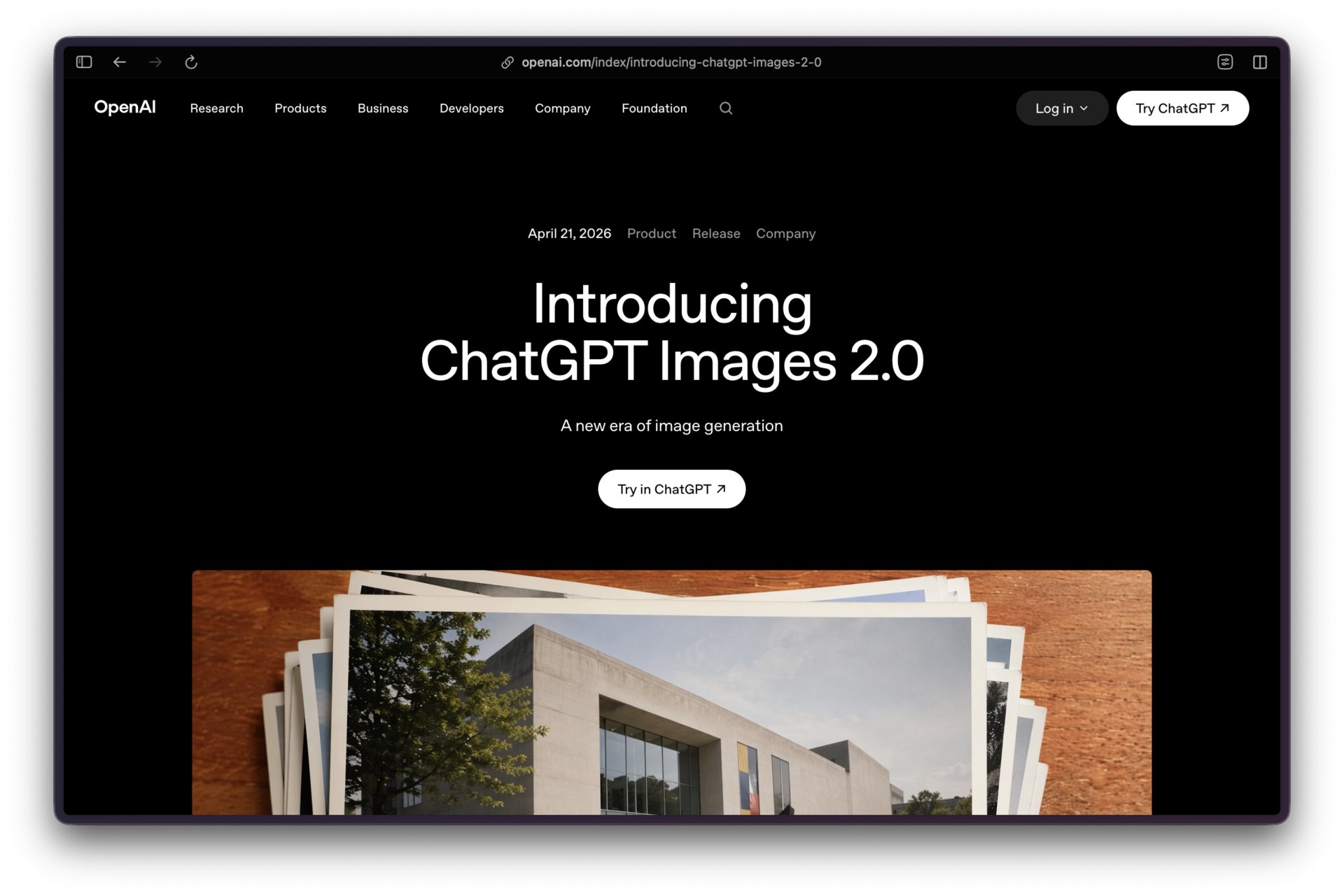
For years, AI image generation failed at the part of a poster, package, diagram, or interface that carries the message: the words. The model could make an arresting background, then misspell the headline, scramble a price, or turn a call to action into visual gibberish. ChatGPT Images 2.0 changes that operating baseline by handling denser text, stronger instruction following, and more deliberate visual composition in a single generation.
The practical shift is not that every generated asset is ready to ship. It is that a content team can now prototype a visual communication with its copy, hierarchy, imagery, and layout intact enough to evaluate the idea. That compresses the gap between a written brief and a design conversation.
For API workflows, OpenAI exposes gpt-image-2; its dated launch snapshot is gpt-image-2-2026-04-21. ChatGPT Images 2.0 launched on April 21, 2026, alongside an optional Images with Thinking mode in ChatGPT. gpt-image-2 is OpenAI’s current flagship image model for generation and editing, with flexible output sizes, high-fidelity reference-image handling, and a cost profile that rewards draft-first workflows instead of casual high-resolution retries.
Overview
ChatGPT Images 2.0 is the consumer product name. For API workflows, gpt-image-2 is the corresponding model name. OpenAI describes it as its state-of-the-art image generator for high-quality generation and editing; it accepts text and image inputs and returns images. The model can be used directly through the Image API or through image-generation tooling in the Responses API.
The release added Images with Thinking in ChatGPT. In that mode, the system can use reasoning and tools to plan and refine a result before it renders. OpenAI says the capability can integrate live web search data and generate multiple images from a single prompt. Use it when the brief depends on current information, research, or a dense multi-part composition. Use standard image generation for straightforward visual work where speed matters more than deliberation.
OpenAI’s own examples emphasize editorial layouts, infographics, multilingual text, comic pages, product grids, maps, and educational diagrams. They point to the right operator test: can the image convey a specific message clearly enough that a person does not need to rebuild it from scratch?
Availability and Access
| Surface | Current access | Operator note |
|---|---|---|
| ChatGPT | Images 2.0 is available on all tiers. | Usage limits vary by plan and demand. |
| ChatGPT Thinking | Available on Plus, Pro, and Business. | Enterprise and Edu availability is still rolling out. |
| Web, iOS, Android | ChatGPT Images is available on all three. | Mobile supports selection-based edits. |
| OpenAI API | Available as gpt-image-2. |
Organization verification may be required before GPT Image access. |
| GPTs | GPTs with Image Generation enabled can use the new generation model. | Use a review step before allowing a GPT to publish or send assets. |
The ChatGPT Images help page covers consumer availability, editing, and the image library. The API image-generation guide documents the developer path. Keep the two surfaces distinct: ChatGPT is useful for iterative art direction; the API is useful for controlled, repeatable production workflows.
Technical Detail
For a single generation or edit from one prompt, use the Image API. For a conversational experience that needs image generation as one tool among several, use the Responses API. The Responses API carries the main model’s text-token usage as well as image-generation costs, which can change the economics of a workflow that mixes planning and rendering.
The basic API call is compact:
from openai import OpenAI

client = OpenAI()
result = client.images.generate(
    model="gpt-image-2",
    prompt="A clean editorial poster for a local food festival with readable headline text."
)
gpt-image-2 supports text-to-image generation, image editing, multiple image inputs for reference workflows, and output controls for size, quality, format, and compression. It always processes image inputs at high fidelity. That improves reference-image retention, but it can increase input-image token cost in edit workflows.
Size and Quality
The API accepts flexible resolutions. Both dimensions must be multiples of 16 pixels, the maximum edge is 3,840 pixels, the long-to-short-edge ratio cannot exceed 3:1, and the output must contain 655,360 to 8,294,400 total pixels.
Useful presets include 1024x1024, 1536x1024, 1024x1536, 2048x2048, 2048x1152, 3840x2160, and 2160x3840. Quality can be low, medium, high, or auto. Square generations are typically fastest. Start at low for composition tests; move to medium or high only after the hierarchy, copy, and image direction are right.
An important limitation: the current API documentation says gpt-image-2 does not support transparent backgrounds. Do not build a production pipeline that assumes a background: "transparent" parameter will work. ChatGPT’s consumer editing tools can make a background transparent, but the API model constraint still governs an automated workflow.
Pricing and Budgeting
API pricing has three components: input text tokens, input image tokens for edits, and image output tokens. Reference-image editing can cost more than a text-only generation because gpt-image-2 processes every input image at high fidelity.
The following OpenAI API guide prices are output-image estimates for common sizes. They exclude prompt and reference-image input tokens and can change, so use the live calculator before committing a production budget.
| Quality | 1024 × 1024 | 1024 × 1536 | 1536 × 1024 |
|---|---|---|---|
| Low | $0.006 | $0.005 | $0.005 |
| Medium | $0.053 | $0.041 | $0.041 |
| High | $0.211 | $0.165 | $0.165 |
For planning, price the workflow rather than the final image. A campaign that needs ten low-quality composition tests, two medium revisions, and one high-quality final should be budgeted as 13 renders plus input tokens. Teams that begin every iteration at high quality pay for hesitation.
Performance Evidence
OpenAI’s release material documents improved instruction following, dense-text generation, visual detail, and Images with Thinking. It does not publish a universal head-to-head benchmark that establishes gpt-image-2 as better than every competing image model on text rendering, photorealism, editing, or cost.
External image arenas use different prompt sets, voting populations, quality settings, and score scales. A leaderboard score from one system cannot be converted into a score from another, and a current rank can change without notice. This guide therefore does not use a numeric cross-model ranking or a claimed text-accuracy percentage.
For product selection, create an internal proof set and compare gpt-image-2 with the specific alternatives under consideration. The following grid produces evidence that maps to a real production decision:
| Test | Pass condition | What to inspect |
|---|---|---|
| Headline poster | Exact headline is readable and complete. | Spelling, kerning, hierarchy, and line breaks. |
| Dense infographic | All approved labels and numbers are correct. | Facts, chart labels, legends, and visual order. |
| Multilingual layout | Every supplied character is correct and legible. | Script fidelity, reading direction, and accidental character mixing. |
| Reference edit | Required product or subject features remain intact. | Shape, label, color, identity, and unintended scene changes. |
| Brand composition | Asset meets the brief without manual reconstruction. | Margins, color, logo treatment, and copy placement. |
| Cost and latency | Result arrives within the workflow’s budget. | Number of attempts, input images, quality setting, and time to approval. |
Score each test using a named reviewer and a pass, revise, or fail verdict. Retain the exact prompt, references, model identifier, quality setting, output, date, and reviewer note. A small repeatable proof set is more useful than a borrowed leaderboard number when a model is about to enter a real content pipeline.
Practical Use Cases
Editorial Explainers
Use the model to turn a finished article brief into a first-pass infographic, timeline, map, diagram, or quote card. Supply the exact text, a clear hierarchy, and the intended aspect ratio. Fact-check every generated number and label against the source document.
Campaign Concepts
Produce several low-quality visual directions before asking a designer to refine the winner. The model is especially useful at joining art direction and copy in one comp, which makes creative review more concrete than a mood board with placeholder text.
Product and Interface Communication
Generate a conceptual feature card, onboarding illustration, or product-story panel from a real interface reference. Use the API’s high-fidelity image-input handling when preservation of the supplied object or product matters. Do not treat generated UI text as production code or an accessibility-reviewed interface.
Multilingual Layout Prototypes
Use separate review passes for every language and script. Ask for the exact copy, language, reading direction, and the visual role of each text block. A fluent speaker should still verify every character before publication.
A Production Workflow
- Write the brief outside the image prompt: audience, single message, required copy, evidence source, brand constraints, aspect ratio, and review owner.
- Generate low-quality composition tests with only the headline, one supporting line, and primary visual concept.
- Select one direction. Check spelling, claims, logos, product details, and cultural cues before asking for refinement.
- Add secondary copy and visual detail in a controlled revision. Keep a source file with exact approved copy; do not rewrite from memory inside each prompt.
- Render the selected output at the required size and quality. Save the prompt, reference images, output, model, quality setting, and date with the asset record.
- Complete human review for factual accuracy, typography, accessibility, rights, and brand approval before publishing.
This sequence keeps the model in its strongest role: fast visual synthesis. It keeps legal, editorial, and brand judgment where they belong.
Gotchas
- A selection in the ChatGPT editor is not a pixel-perfect mask. OpenAI warns that edits can extend beyond the highlighted area.
- High-fidelity reference-image processing can increase edit cost. Use only references that materially improve the result.
- The model can produce readable text and still make a factual error. Treat dates, prices, charts, maps, citations, and product specifications as content requiring verification.
- Exact typeface replication, optical kerning, grid math, and print production tolerances remain design tasks. Ask for visual character, not a legally or technically exact font reproduction.
- API access may require organization verification. Confirm access before scheduling a production run.
- Safety filtering applies to prompts, input images, and outputs. Build a retry policy for legitimate blocked work, but do not try to evade the policy with euphemisms.
Starter Prompts
Use the exact approved text in the prompt. Mark text as literal copy and request no substitutions.
Create a 16:9 editorial explainer with this exact headline: [HEADLINE].
Use this exact supporting line: [SUPPORTING LINE].
Create a clear hierarchy: headline first, supporting line second, one visual metaphor third.
Use [COLOR PALETTE]. Leave generous margins. Do not add facts, numbers, logos, or extra text.
Using the supplied product image as the reference, create a clean 4:5 launch card.
Preserve the product’s shape, color, and label placement. Add this exact text:
[HEADLINE]
[CALL TO ACTION]
Use an editorial studio-lighting style. Return no additional copy beyond the supplied text.
Create a bilingual event poster. Use these exact lines in this order:
English: [TEXT]
Japanese: [TEXT]
Set the Japanese text vertically only if specified; otherwise use horizontal left-to-right layout.
Use large readable type, a quiet background, and enough space around each language block.
Create three low-detail concept directions for a 2K landscape infographic about [TOPIC].
Use placeholder labels only: Title, Key Point One, Key Point Two, Key Point Three.
Focus on layout differences, not finished copy. Do not include statistics or citations.
Troubleshooting
| Problem | Likely cause | First response |
|---|---|---|
| Text is misspelled or truncated | Too much copy, weak hierarchy, or a dense composition. | Reduce the text blocks, make literal copy explicit, and regenerate before adding detail. |
| Edit changes the wrong area | Selection boundaries are approximate. | Use a simpler background, a broader mask, or a new generation from the approved source image. |
| A reference image drifts | The brief does not identify what must remain fixed. | State the immutable features: product silhouette, label, color, camera angle, or subject identity. |
| Costs rise quickly | High quality or high-fidelity inputs are used too early. | Move layout tests to low; send fewer, more useful references. |
| API request fails before generation | Organization verification, rate limit, or malformed image input. | Check account verification, request logs, image format, and retry policy. |
| The result looks polished but is wrong | Generated text or facts were not proofread. | Compare every claim and literal line with the approved source before release. |
Safety and Provenance
OpenAI’s Images 2.0 system card describes prompt-layer screening, input-image checks, output review, C2PA metadata, and an imperceptible watermark. Those controls are important, but they do not remove an operator’s responsibility to label, review, and securely store generated assets according to the context in which they are used.
For any image involving a real person, a sensitive event, a product claim, a regulated industry, or a brand mark, use a documented approval path. A model can now make a convincing image quickly. That is a reason to tighten review, not to skip it.
Operator Verdict
ChatGPT Images 2.0 marks a real advance for visual communication because text, layout, reference images, and art direction can now travel through one working loop. It is a strong choice for editorial visuals, campaign exploration, explainers, product-story concepts, and multilingual layout prototypes where the initial objective is a coherent communication rather than a final design-system artifact.
The model is best treated as a fast visual partner with uneven authority. It can draft the composition, but it cannot certify the facts, reproduce a brand system exactly, or decide whether a visual claim is safe to publish. Its best outputs are the beginning of a disciplined asset workflow, not the end of one.
Use gpt-image-2 where readable text and prompt adherence remove a genuine bottleneck. Keep a designer, editor, and reviewer in the loop when the result will represent the brand, make a claim, or be seen as evidence.