Marblism Review: Can AI Employees Take Over Everyday Business Tasks?
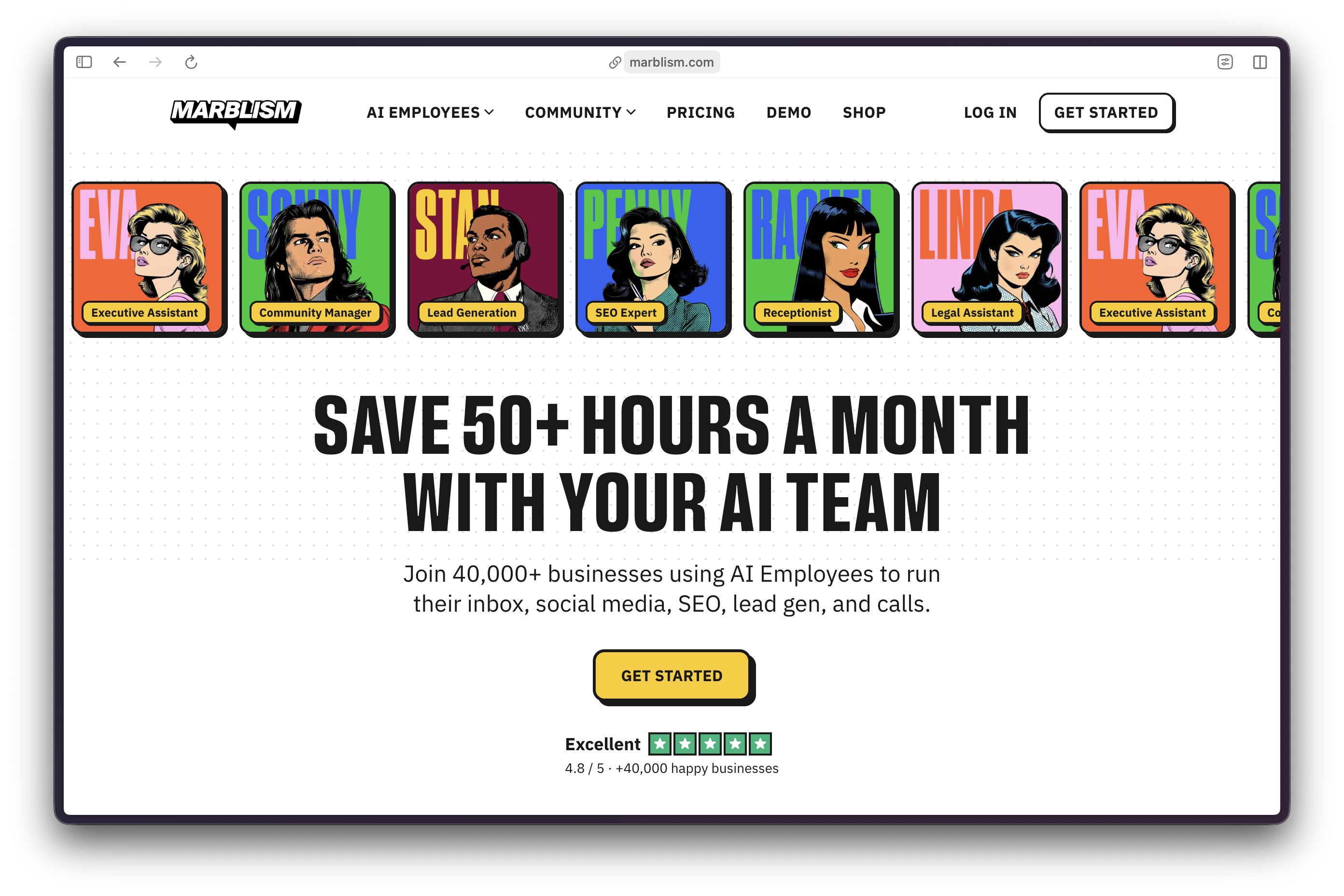
Marblism offers AI “employees” that work 24/7, ask for no salaries, give HR no headaches, and request no vacations. This single platform provides six specialized AI employees, with each employee pre-trained for specific tasks.
Working with Marblism agents requires a mental model shift. You treat these AIs as real hires, not chatbots you’re prompting. You wouldn’t ask your human assistant, “Hey, can you help me with emails?” The same logic applies here. Eva handles your inbox. Sonny manages social. Rachel answers calls. A clear role definition produces better outputs than vague delegation.
Who This Guide Is For
Built for solo operators and small business owners handling too many tasks personally. If you’re spending hours weekly on email, social media, lead generation, or content production, these six employees reclaim that time. For anyone hesitant to hire freelancers due to cost, risk, or management overhead, Marblism’s fixed-cost model is very compelling.
Marblism is not a fit for organizations that require deep customization, users who need industry-specific compliance workflows, or those expecting fully autonomous agents without approval gates. Marblism balances autonomy with human oversight: drafts require review before sending until you explicitly grant auto-send permissions.

Marblism features six agents, including, from top left, Executive Assistant Eva, Social Media Manager Sonny, Blog Writer Penny, Sales Associate Stan, Legal Associate Linda, and Receptionist Rachel. Company founder Ulric Musset grew up fascinated by comic books, which explains these avatar designs.
💡 What Makes This Guide Different Practical approach: documents actual onboarding for each employee, including friction points most reviews skip. Operator style means specific instructions, defined handoffs, and verification before automation. Real constraints acknowledged: training time, approval workflows, platform-specific limitations. No hype. No “transform your business overnight” claims. Just clear documentation of what works, what requires refinement, and what breaks under stress.
Core Concepts
- AI employees – Six pre-trained specialists, each with defined capabilities and integration points.
- Direct integrations – Connects to Gmail, Outlook, Instagram, Facebook, X, LinkedIn, WordPress, and calendar systems. No middleware required.
- No data layer – Marblism manages context internally. Feed your content to employees once; they learn from corrections and preferences.
- Approval gates – Drafts require review before sending. Autonomy is earned over time through consistent quality checks. Safety-first architecture prevents embarrassing auto-sends during training.
By avoiding middleware and embedding human-in-the-loop approvals, Marblism creates a low-friction, high-trust environment for scaling agentic workflows across an organization.
What Marblism Does Well
Email Management
Eva labels, categorizes, and drafts replies matching your tone. Learns from every correction you make.
Social Media
Sonny suggests topics, creates posts, and handles cross-platform scheduling. No more “forgot to post this week” gaps.
Content Production
Penny writes long-form blog posts with images and internal linking for Search Engine Optimization (SEO). WordPress integration means drafts appear ready for final review.
Lead Generation
Stan handles targeted outreach, follow-up sequences, and meeting bookings. Cold emails are sent without burning your domain reputation.
Call Handling
Rachel answers, qualifies callers, and books appointments. The standard plan includes 15 calls monthly. Two optional plans are available for call-heavy organizations:
| Plan | Monthly Cost | Calls/Mo. |
|---|---|---|
| Associate | $13.00 | 300 |
| Executive | $31.00 | 1000 |
Legal First-Pass
Linda drafts agreements, reviews clauses, and flags risk areas. US-based legal context by default. Not licensed legal advice: think of Linda as your first-pass contract reviewer before human attorney review.
Concrete Example: Explicit Requests
Vague: “Help me with social media.”
Operator Request
“Sonny, create a LinkedIn post about AI productivity tools. No emojis. Include one stat. Tag it #AItools. Show me the draft before posting.”
Prompt Anatomy
ame employee, specify platform, define tone and format, request approval step.
Principle
Clearer initial instructions lead to faster, more useful outputs. The first two weeks determine whether each employee becomes valuable or is ignored.
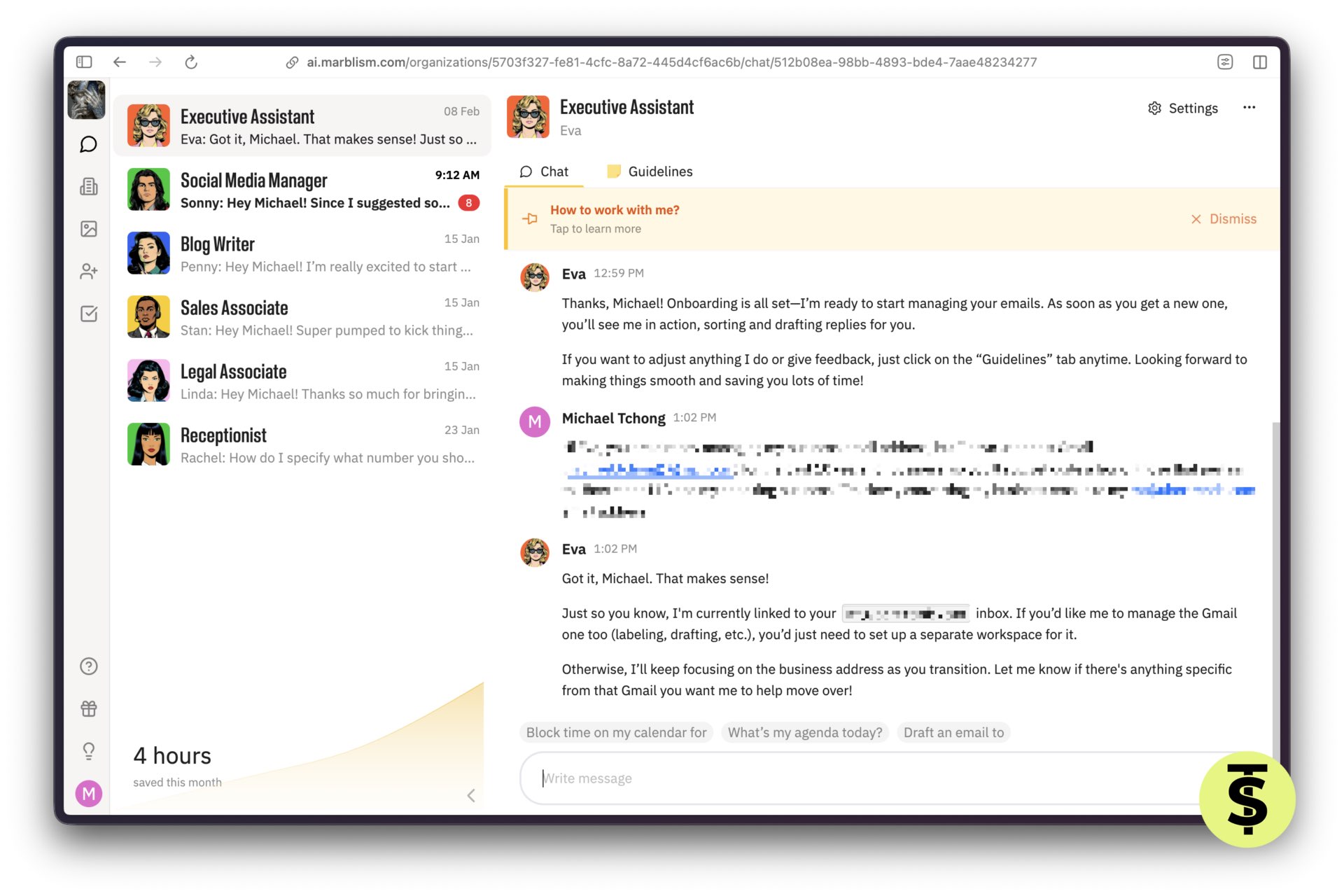
Eva, the executive assistant, provides onboarding instructions upon startup, explaining the role of guidelines.
Prerequisites & Requirements
Account Basics
Email signup, quick walkthrough, and employees are visible immediately. No developer resources needed.
Connected Services
Gmail or Outlook for Eva and Stan; Instagram, Facebook, X, LinkedIn for Sonny; WordPress for Penny; phone number for Rachel. Linda requires no external connections: works entirely within Marblism’s document system.
Pricing Plans
- Annual billing: $24/mo.
- Quarterly billing: $33/mo.
- Monthly billing: $44/mo.
All six employees are included at every tier: no per-employee charges. Two lead generation add-ons are available for high-volume outreach beyond free tier limits:
| Plan Name | Monthly Cost* | Enriched Leads/Mo. |
|---|---|---|
| Junior | Included in plan | up to 300 |
| Associate | $13.00 | up to 750 |
| Executive | $31.00 | up to 2,000 |
- All plan upgrades are billed on an annual basis.
Security Considerations
You’re granting access to the inbox, calendar, social, and Content Management System (CMS). Connect only accounts each employee requires: separation strategy reduces exposure. Use dedicated business accounts rather than personal ones.
Sensitive data: legal documents stay in Marblism’s folder system. Avoid sharing credentials in chat. Linda’s document vault provides secure storage for contracts under review.
Setup Process
Eva (Executive Assistant) Connect Gmail or Outlook and calendar. Eva reads the entire inbox and learns communication style from existing emails. Set preferences: email categories, draft tone, meeting summary format. Capabilities: labels emails, drafts replies, sends reminders, and joins meetings for notes.
Sonny (Social Media Manager) Connect Instagram, Facebook, X, and LinkedIn. Provide content direction: topics, tone, posting frequency. Daily standup option: Sonny asks, “What’s on your mind today?” Approval workflow: review posts before publishing, or grant autonomy after training shows consistent quality.
Penny (Blog Writer) Connect WordPress site, create an editor account for Penny. Provide target keywords, content guidelines, and brand voice documents. Penny suggests topics, drafts long-form posts with images, and auto-interlinks existing content to boost SEO.
Stan (Sales Associate) Provide outbound email address. Define lead filters: industry, role, company size. Customize email templates and follow-up cadence: 7 days for first touch, 10 days for second follow-up, with a common pattern. Approval options: auto-send or review leads before outreach begins.
Rachel (Receptionist) Brief Rachel on common questions, business context, and booking protocol. Test with a live call before going live. Rachel creates call notes, books meetings in your calendar, and sends call summaries.
The setup process allows you to select a phone number from US-based options, including a local area code.
Linda (Legal Advisor) US-based legal context by default. Upload past contracts to train her on your typical agreements. Request drafts: terms of service, non-disclosure agreements, partnership agreements. Documents are stored in a legal documents folder for reference and version control.
Health Check Verify that each connected service appears as active in the dashboard. Test one small action per employee before relying on automation. Confirm that approval workflows are set correctly: nothing sends without review unless explicitly granted.
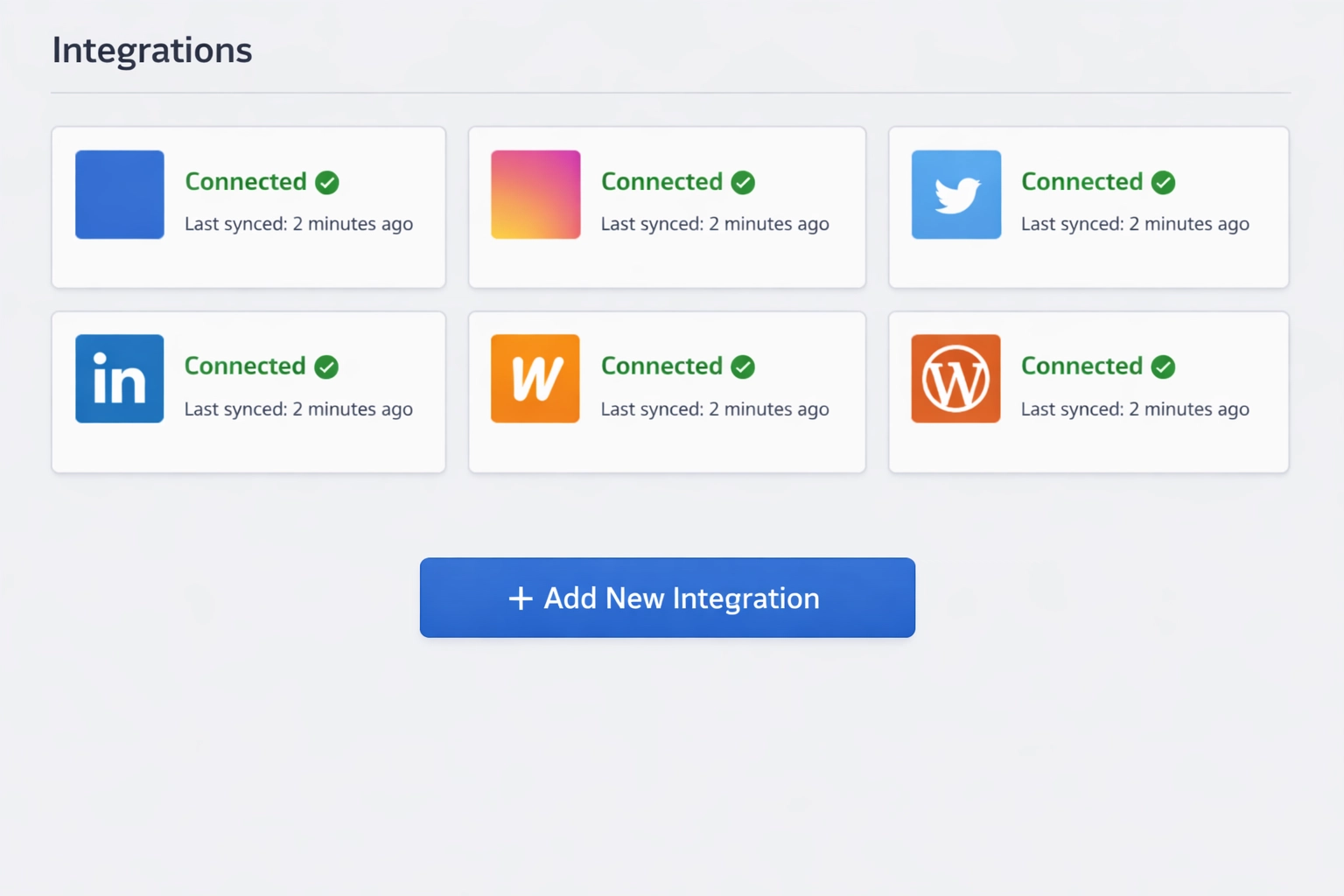
Marblism integrations screen showing connected accounts for Eva, Sonny, and Penny.
Known Gotchas
Training time: employees improve with feedback. First outputs need refinement: plan two weeks of active coaching.
Approval friction: nothing sends without review unless you explicitly grant autonomy. This protects you but slows initial velocity.
Platform limits: social platforms may rate-limit posts. Email providers flag bulk outreach. Stan’s templates must pass spam filters.
Voice quality: Rachel sounds human but may need custom responses for edge cases your industry presents. Legal scope: Linda provides first-pass review, not licensed legal advice. Always involve a human attorney for high-stakes agreements.
Multi-business setup: each business needs its own agent set and settings. No cross-pollination between client contexts.
Troubleshooting Common Issues
Drafts Off-tone
Provide more example content, refine instructions in the settings panel. Eva learns faster when you correct specific phrases rather than rejecting entire drafts.
Wrong Account Posting
Verify the correct social profile is connected, relabel if Sonny confused business and personal accounts during setup.
Leads Low-quality
Tighten filters in Stan’s targeting criteria. Overly broad filters produce high volume but a poor fit.
Rachel Booking Wrong Times
Check calendar connection and availability settings. Time zone mismatches are the main cause of scheduling errors.
WordPress Post Formatting Issues
Verify editor permissions and theme compatibility. Some themes require manual formatting adjustments.
Reset Protocol
Disconnect and reconnect service, update instructions, test single action before scaling back up.
Workflows Worth Copying
Inbox zero: Eva labels and drafts replies each morning. You review and approve in fifteen minutes. Clears decision fatigue before first meeting.
Content engine: Penny writes two SEO posts weekly from your topic list. Sonny repurposes highlights to social platforms. One creation cycle, multi-platform distribution.
Lead machine: Stan finds leads matching your Ideal Customer Profile (ICP), sends templated outreach, follows up automatically, books calls to your calendar. You show up for qualified conversations only.
Call capture: Rachel answers inbound calls, qualifies interest, books discovery calls, sends you summary before meeting. Never miss another lead while in meetings.
Legal hygiene: Linda drafts standard agreements. You review once, reuse templates. Reduces attorney fees for routine documents.
Pro Tip: AI Collaboration & Versioning
Reconciling different versions of content between humans and AI can be a headache. To streamline collaboration, host your master drafts on Google Drive. Set the sharing to “Anyone with the link can view” or use “File > Share > Publish to the web.” This allows your AI agents to scrape the latest version of your document, incorporate new research, and maintain a single source of truth without manual copy-pasting.
Cloud-hosted version control may reduce errors, although our warning published above remains.
Starter Prompts
- Eva: “Label all emails from @domain.com as ‘Client.’ Draft replies for anything marked urgent.”
- Sonny: “Post three times per week on LinkedIn. Focus on AI automation trends. No emojis. Show drafts first.”
- Penny: “Write a 1,200-word post on AI productivity tools. Target keyword: AI workflow automation. Include two internal links.”
- Stan: “Find leads who are marketing directors at software companies with 50-200 employees. Use Template A. Wait for my approval before sending.”
- Rachel: “When someone asks about pricing, tell them to book a call. Use this link: [your calendar URL].”
- Linda: “Draft a Non-Disclosure Agreement (NDA) for contractor relationship. Include Intellectual Property (IP) assignment and two-year non-compete clause.”
Known Limitations
No cross-employee orchestration: each employee operates independently. You coordinate handoffs between them: Penny writes the post, and you tell Sonny to promote it.
Learning curve: first two weeks require active feedback to dial in quality. Not instant productivity. Autonomy requires trust: full auto-send is recommended only after consistent review cycles demonstrate reliability. Premature autonomy creates cleanup work.
Stan’s outreach volume: free tier limited to basic lead generation. Add-on required for more than 300+ leads monthly.
Rachel’s fifteen calls: sufficient for testing and light operations. Call-heavy businesses need an optional call plan.
Linda’s jurisdiction: US-focused legal framework. International legal contexts require human review for enforceability.
What Comes Next
Start with the biggest gap: inbox, social, content, or leads. Pick one employee first. Onboard completely before adding the next agent.
Stabilize before expanding: get one employee producing reliable output before layering in others. Parallel onboarding creates confusion.
Earn autonomy: review outputs for two to three weeks, then selectively grant auto-send or auto-post permissions for proven workflows.
Scaling principle: You cannot automate confusion. Clean inputs yield clean outputs. Vague instructions produce unusable drafts every time.
Resources
Platform: marblism.com Pricing: starts at $24 monthly (annual billing) Video reviews: “My Top AI Pick for 2025 – Marblism Review” (YouTube), “I Hired 6 AI Employees” (YouTube) Support: Live chat available 24/7, account manager outreach during onboarding
Seven-day money-back guarantee if the platform doesn’t fit your workflow.
Human oversight remains critical. These employees augment your capacity: they don’t replace judgment, creativity, or relationship building. Use them for repetitive, high-volume tasks that drain energy but require consistency. Reserve your attention for strategic decisions and client relationships that matter most.