Notis.ai Review: Can Notion Become an AI Agent Workspace?
⚠️ Caution: Not Currently Recommended - Excessive Burn – Reached 80% of monthly usage cap in just two weeks on the $468 PRO+ plan, despite a significant reduction in task volume. - Zero Transparency – There is no dashboard to track which actions (scrapes, writes, or retries) are consuming credits, making “safe operation” impossible. - Ghost Runs – System performed unrequested re-scrapes that consumed usage even after a stop command was issued. - Overwrite Risk – Notis proactively overwrote existing Notion entries with “messy” data from inconsistent sources like TechCrunch, ignoring extraction quality. Until the developer addresses these gaps in usage tracking and improves the extraction guardrails, we cannot recommend Notis for production-heavy workflows. The risk of sudden cap exhaustion and data overwrites makes it a high-maintenance tool for a premium price point.
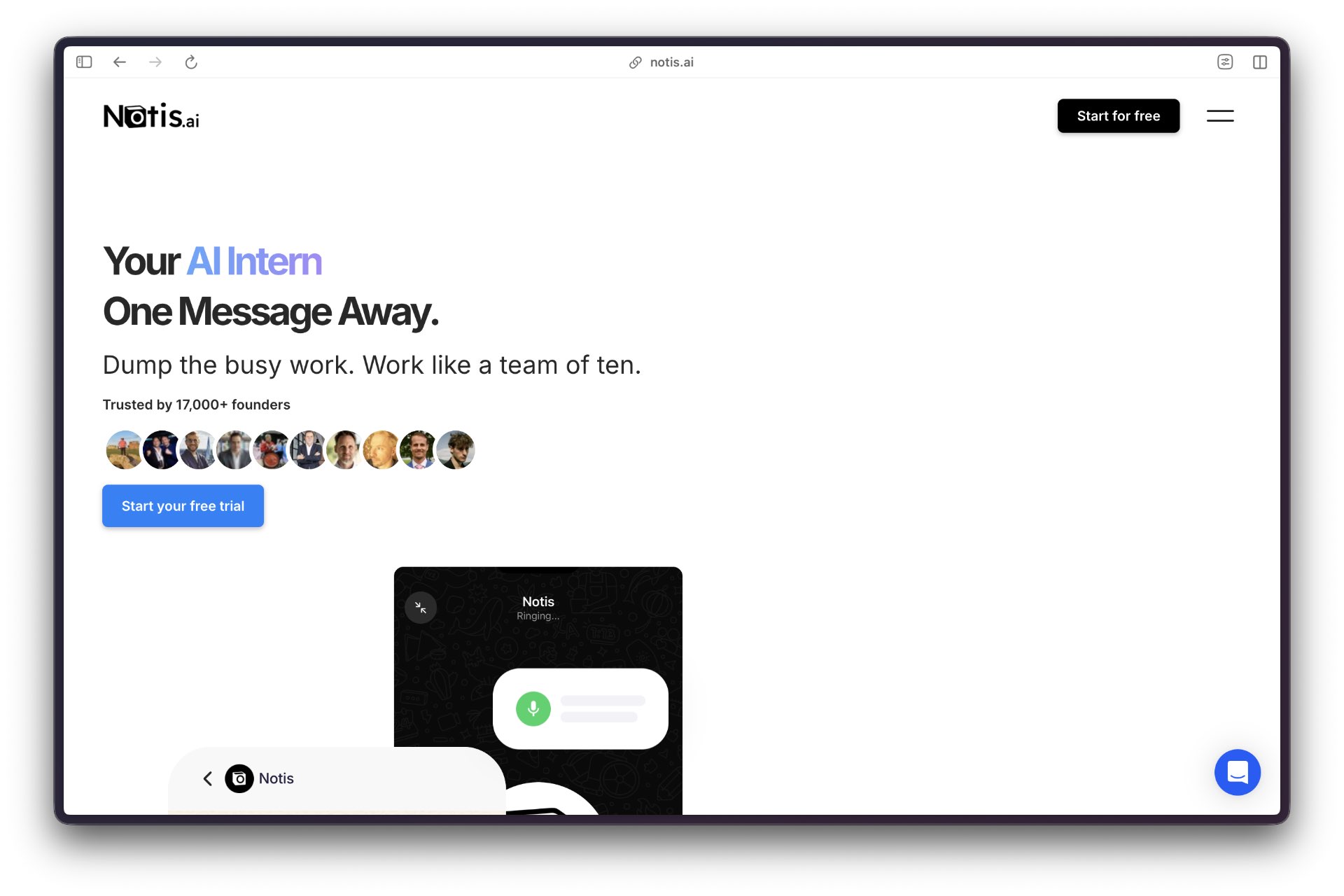
The Swiss Alps seem like a very unlikely location for an agentic startup, but that’s where you will find Notis.ai, founded by Florian Pariset. His unique creation is an AI assistant that uses Notion as its agentic platform.
Notis boasts a truly unique front-end or user interface, as they like to say in Silicon Valley. Its chatbot interface uses messaging apps such as iMessage, Telegram, or WhatsApp to receive commands, letting users automate tasks, generate content, set reminders, and organize information without requiring a separate app.
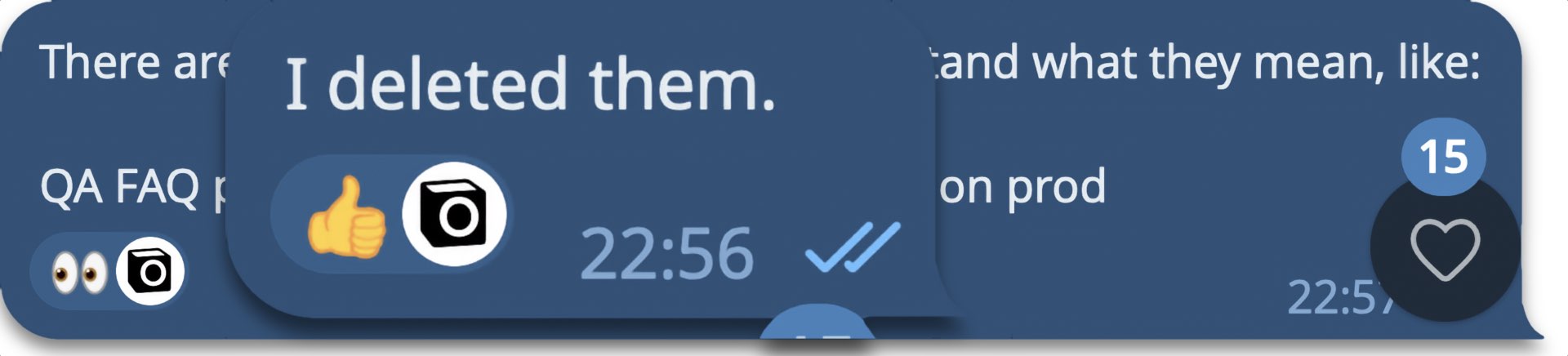 Notis takes commands through messaging apps like Telegram, replying with text and emoji-tagged status.
Notis Target Audience
This Field Guide is designed for Notis’ typical target audience:
- Multiple email and calendar account users, who need to manage ongoing tasks that repeat regularly.
- Who may or may not use Notion. And if they do, their workspace often is in need of organization.
In other words, just about anyone.
Notis is not a fit if you…
- Want set-and-forget – You do not want to spend time on permissions and integrations.
- Need zero friction – You are uncomfortable with occasional confirmations, drafts, or indexing delays.
Notis is an operator in training. The best results are obtained by treating your initial setup as part of your workflow.
What Makes This Guide Different Most setup guides assume ideal scenarios. This guide aims to improve workflows that break down due to poor planning: - Practical approach – This guide details the actual steps. You’re about to see why Notis works, even if your input isn’t ideal, including time spent troubleshooting issues. - Operation style – Success means making straightforward requests, setting specific goals, and double-checking results. - Real constraints – Permission issues, Notion indexing delays, and chat limitations are not the exception — they’re the norm.
Notion Basics
Notis is at its best when you treat it less like a chatbot and more like a true AI assistant that needs extensive onboarding. If you are new to Notion, here are two basic concepts you need to know:
- Database – Think of it as a spreadsheet with rules. Every row is an item, such as a task, meeting note, or contact. Typical database fields include Status, Date, Tags, and Relations.
- Page – Pages are documents that can live on their own or are found inside a database as a single-row item that can expand to a full page, or more.
Notis is designed to create or update database items. Standalone pages can work, but Notis often has trouble finding items unless you supply the exact Notion page link. While it can write, that is not its strength, as we discovered, even though its underlying model is ChatGPT.
What Notis Is Good At (When Configured Correctly)
Notis lets you dictate your messages in your app of choice, making it ideal for on-the-go task management. The onboarding process takes place directly in your chosen messaging app, where you provide your preferred language, name, and email address. Here are some other feature highlights:
- Capture and structure – Quick inputs, especially voice notes, are converted into clean, structured items in a Notion database.
- Database updates – Notis can update table fields, provided the database is well-designed and includes descriptions and property instructions to format output correctly. You also need to use explicit targets that describe the exact destination. It can actually see and edit what you want it to and knows what “good” looks like.
- Cross-app execution – Notis can manage tasks across Notion, email, and your calendar, as long as the channel and account are clearly identified.
- Attachment extraction – Images, PDFs and text can be read and turned into structured fields and can be filed in a database, although we recommend you do not file documents in the database but instead upload them to Google Drive and link to it.
Explicit Target Example
To understand why vague requests rarely work, here’s an example of an improved request that uses explicit targets:
- Vague request – Make this a task. Follow up with Sarah next week.
- Operator request – Create a task in my Tasks database called “Follow up with Sarah re: partnership.” Set Status to Not started. Set due date to next Tuesday at 10:00 am PT. If you need a contact record, link it to Sarah in my Contacts and CRM database.
Video Demo/Review
Watching Notis in action in a non-staged review lets you see both sides: What it does right and what requires a more significant user time investment.
This AI Tool Corner review shows how Notis works, including messy real-world friction and how to avoid it.
Prerequisites & Requirements
Notis AI offers a free seven-day trial to find out if its assistant is right for you. After choosing the “Start for Free” option, select your preferred messaging app, most likely Telegram or WhatsApp. Keep in mind that you can freely switch back and forth between WhatsApp and Telegram at any time.
- Notis account set up – Sign up requires an email address and phone number.
- Primary messaging channel – Pick your preferred Notis channel: Telegram, WhatsApp, iMessage, or, heaven forbid, email.
- Long messaging recommendation – Telegram is best for longer instructions and replies, up to 4,096 characters per message. WhatsApp and iMessage do not have publicly disclosed, strict character limits for individual messages, allowing for extremely long texts.
Pricing and Cost Reality Check
Notis AI offers three price plans, each including a specific number of tasks per month.
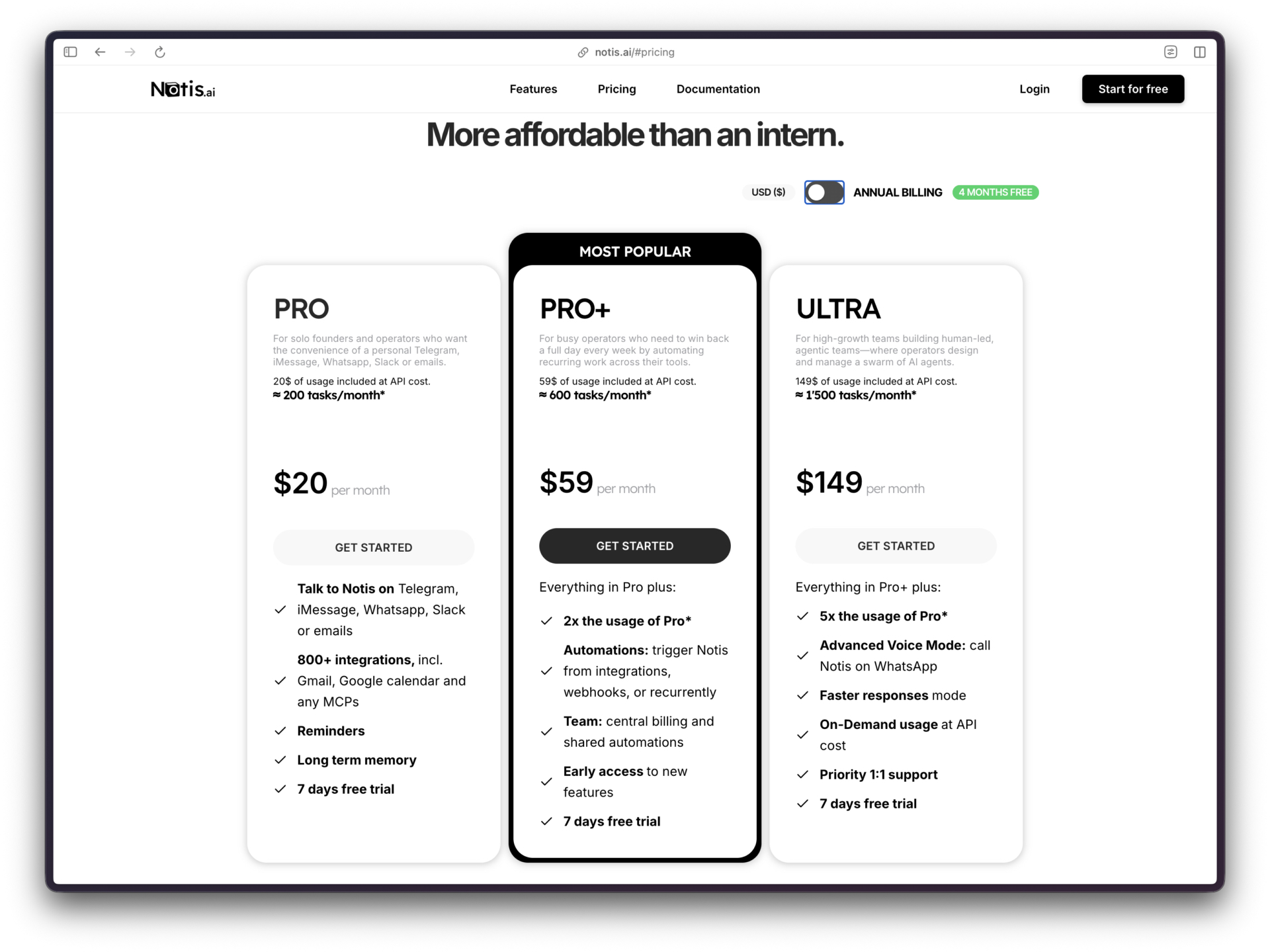
Notis use is governed by your price plan. Heavy experimentation can burn through your allotted tasks fast. Treat setup like building your home’s foundation: be very deliberate in everything you do.
Monthly Pricing
- Pro – $20/mo. (200 tasks per month)
- Pro+ – $59/mo. (600 tasks per month)
- Ultra – $149/mo. (1,500 tasks per month)
Annual Pricing
- Pro – $156/year ($13/mo)
- Pro+ – $468/year ($39/mo)
- Ultra – $1,188/year ($99/mo)
Our experience suggests you use up your tasks faster than expected, mostly because we multi-threaded them, much as you would with a human worker. Turns out you should avoid that approach and stick to linear task management without much deviation. We burned through 600 Pro tasks in just two weeks.
The painful lesson we learned is that Notis task assignments have to be minimized while also avoiding multi-step workflows. However, there was another reason we hit the proverbial task wall during our marathon AI chats.
Like many of you, we are not proficient with Notion. As a result, Notis had to perform triage to help navigate Notion. That led to the discovery that Notis was equally challenged by Notion’s arcane interface. We wasted many a task trying to find a buried menu command. We mentioned this to Pariset, and he reports that Notis now indexes Notion’s entire documentation so she can tap into help articles when answering questions. We have not been able to test this yet.
Security
You are granting access to systems that contain private data, including your Notion databases, email, calendar, and more. Here are some best practices tips:
- Need to know – Only share what Notis absolutely needs.
- Separate workspaces – Keep your personal and work workspaces clearly separated, unless you want Notis to manage your personal life too.
- No secrets – Avoid pasting passwords, API keys, or other sensitive tokens in chat.
Setup
Installation
Create an account by visiting https://notis.ai, then validate your phone number.
Choose a primary channel to match your preferred method of communicating:
- Telegram – Best when you need to send longer instructions and receive longer replies.
- WhatsApp – Best for quick operational requests, including voice notes.
- Email – Best for long documents where keeping context in one thread matters.
Initial Configuration
1) Connect Notion
You have two Notion connection options:
- Option A (recommended template) – Duplicate the Notis workspace template, then grant Notis access to that workspace.
- Option B: existing workspace – Share the primary page containing the databases you want Notis to use.
A common mistake is sharing one database item page and assuming Notis can see the rest of the workspace. If you want reliable access, share a parent page that contains the databases.
- Indexing note – Initial sync is often minutes, but search indexing can take much longer. Some content may take up to 24 hours to become discoverable by search.
2) Integrations (Gmail, Google Calendar, etc.)
- Connect in chat or use portal – Use Notis portal’s Settings and Integrations if you prefer clicking over chatting.
- Label multiple accounts – If you connect more than one Google account, label them clearly, i.e., “personal” and “work.”
Example:
- Bad – Connect my Gmail.
- Better – Connect my Gmail work account and label it Work. Connect my Google Calendar work account and label it Work.
- Best – Connect Gmail (Work) and Google Calendar (Work). Default to Work unless I specify otherwise.
3) Channel Limitations
Communication channels have varying message and attachment limitations, know them to prevent truncated messages:
- Telegram – 4,096 characters per message; 20MB attachments.
- WhatsApp – WhatsApp doesn’t publish a consumer-app character limit. People have observed messages as large as approximately 65,536 chars, but that’s not an official specification. In 2022, WhatsApp rolled out up to 2GB per file limit for file sharing. Practical media behavior can still vary due to compression and connection speed. Believe it or not, but the WhatsApp Business/Cloud API has a commonly cited limitation of 4,096 characters for text and tighter media size caps.
- Apple Messages – Apple does not publish a maximum character count or attachment limitations for Messages. However, there is a real limit that matters: if a message falls back to a green bubble text (SMS), your carrier may impose very small attachment limits.
- Email – Best for long-form writing, but attachment sizes are constrained by your email server.
- Attachments – If a file exceeds the channel limit, delivery can fail without a clear error. If something looks ignored, resend via email or reduce file size.
Health Check
Run this checklist before you invest time in bigger workflows.
- Notion access – Notis can read the pages you shared and can create or update items in the intended database.
- Notion search timing – Newly shared content may not be searchable right away. Indexing can take up to 24 hours.
- Integrations – Notis can read enough from connected services to do small actions (draft an email, check calendar availability).
Quick End-to-End Test
- Test task creation – Send a short message that should create one task with a due date.
- Verify landing – Confirm it landed in the right database and that the fields look correct.
- Test one integration – Ask for one simple action like drafting an email (do not send) or checking a time window on your calendar.
Gotchas
This stuff breaks the magic.
- Notion access is not the same as Notion search – Even when pages are shared, search and indexing can lag. Plan for up to 24 hours for some content to surface.
- Pages versus databases – Notis is strongest when creating and updating database items. Standalone pages are harder to locate reliably. If you are working with a standalone page, you will often need to paste the exact page link.
- Account ambiguity – If you have multiple Gmail and Google Calendar accounts, Notis can choose the wrong one unless you specify.
- Confirmation friction – Some actions still require confirmation or a draft. Batch approvals to preserve speed.
- Contact data mismatch – If you are sending messages based on CRM data, verify recipients before sending.
- Social posting reliability – Generating content can work while actual posting fails due to login or permissions issues.
- Reminders are dumb by design – Reminders can repeat a message, but they do not automatically fetch fresh context each time. If you want “fetch and summarize competitor updates every Monday,” you want an automation, not just a reminder.
- Notion familiarity tax – If you are new to Notion, the interface will feel unintuitive at first. That learning curve is real, and it affects how fast you can collaborate with any automation.
Troubleshooting
Notis cannot find a Notion page or document
- Likely cause – The page was not shared with Notis, or Notion indexing is not finished.
- Fix – Share the parent page (not just one subpage). If you are relying on search, wait for indexing.
Long replies get cut off or are missing parts
- Likely cause – You hit a message length limit in your channel.
- Fix – Use Telegram or email for long drafts and long instructions.
Attachment was ignored
- Likely cause – The file was too large for the channel.
- Fix – Send the file via email, or resend a smaller version.
Connected wrong Google account
- Likely cause – Multiple accounts are connected without clear labels.
- Fix – Label accounts (Work, Personal), then specify which one to use in your request.
Reinstallation or Reset
If you need to start over:
- Start a new thread – It reduces confusion.
- Re-share exact Notion parent pages – Share the parent pages, not a child page.
- Reconnect integrations – Reconnect and relabel accounts.
- Debugging discipline – Batch changes when debugging. Repeated trial edits can burn usage quickly.
Workflows Worth Copying
If you want quick wins, pick workflows with a clear Notion end result. In practice, that usually requires a database.
To install official workflows and connect accounts, start here:
- Notis web app – https://app.notis.ai
Practical Workflows that Create Quick Wins
- Voice note to blog draft – Dictate your thoughts and must-include points, then have Notis draft a post and add it to your output database for editing.
- Link to newsletter issue – Paste a source article link and ask for a short summary with sources, and file it into your newsletter database.
- Image/PDF to structured data – Send a business card or receipt and let Notis extract fields and create or update a matching CRM or expense database.
- Operations bundle – Schedule a meeting, draft a follow-up email, and create a task in one pass. This works best when you include names, dates, the exact app and account.
Pattern to Copy
- One-off start – Create a single request and judge results.
- Systematize – When the same request repeats, turn it into a saved workflow or automation.
Copy and Paste Starter Prompts
These are meant to be high-signal, low-drama prompts that get you to working outputs fast.
- Notion scope – “Connect my Notion to the parent page I shared. Only use databases under that page.”
- Google accounts – “Connect Gmail (Work) and Google Calendar (Work).”
- Daily reminder – “Create a reminder every weekday at 8:30 am PT: ‘Top 3 priorities today?’”
- Email drafting – “Draft a reply to this email thread. Do not send. [paste thread]”
- Text to audio – “Turn this into an audio message: [spoken text]”
Operator Rule
If a prompt can be misinterpreted, add one extra line that names:
- Exact database or page
- Exact account (Work versus Personal)
- Success criteria (what “done” looks like)
Known Limitations: Context Drift
Notis may lose track of multi-step requests in long threads. We ran into many instances where Notis “forgot” to do what we had asked. To mitigate this issue, we decided to set up a simple operator-style test to see how well it could capture and track requests in a repeatable way.
The test: We asked Notis to create a dedicated Notion database called “Notis Task Tracker” and then immediately write a single “proof” task into it. The database spec was intentionally minimal and operational:
Notis created the database in 1 minute and 33 seconds, an impressive build time and a strong signal that basic setups are fast. Then came the details:
- Field order – The field order was incorrect: Task, Due Date, Notes, Project Relationship, Request Date, and Status.
- Workspace – Despite explicitly requesting that the database be created in Notis Second Brain, Notis put it in Ubertrends teamspace. When told, Notis repeated a similar refrain: “You’re right — that’s on me.”
- Incomplete results – Notis could also not complete the second portion of the test: adding a row to the new custom database. Explanation: I can create the “Notis Task Tracker” database, but right now I can’t add rows to brand-new custom databases (my write tools only cover the pre-wired databases like Tasks, Notes & Documents, etc.). That’s why the row creation keeps failing even though the database exists.
We have seen these types of hallucinations in other chatbots. Should we simply attribute her shortcomings to another AI senior moment? We will let you decide.
Conclusion: Notis is strongest when working inside its pre-existing Notion Second Brain 2.0 databases. If you want a reliable request-and-capture workflow to mitigate context drift, you will have to accept workarounds. Treat each request as a new “ticket,” or route it via a tracker database first.
What Comes Next
Once the basics work, the sequence that tends to stay sane is:
- Lock in channel choice and Notion access – Make sure routing is predictable.
- Connect Gmail and Google Calendar – Then test one small action in each.
- Create one or two reminders – Use them for prompts that do not require fresh data pulls.
- Add one automation – Only after the above is stable.
Order Matters
- You cannot automate confusion – If filing and routing are unreliable, automation will speed up mistakes.
- Measure early success correctly – The goal is repeatability and correct filing, not novelty.
Resources
Bibliography of tools and references mentioned in this guide.
- Notis web app – https://app.notis.ai
- Notis homepage – https://notis.ai
- AI Tool Corner review – Reference source: https://www.youtube.com/watch?v=rViTM6s2_J8