OpenClaw Setup Guide: Local AI Agent Control With Serious Security Tradeoffs
⚠️ The Ghost in the Machine Update OpenClaw is no longer just “tool calling.” In March 2026, agentic AI crossed a line: It can now see your screen and operate your computer like a human operator, even when an app has zero API support. OpenAI’s GPT-5.4 is the clearest signal, shipping “native computer use” that combines visual screen understanding with direct UI control. OpenAI’s GPT-5.4 release notes describe this as a first-class agent workflow, not a hacky wrapper. Scary new capabilities: - Screen visibility – Agents can interpret what’s on-screen via screenshots and UI state, turning any desktop into a “tool.” Source. - Mouse movement – Agents can click, drag, scroll, and navigate like a person, which makes legacy systems automatable. Source. - Keyboard control – Agents can type into fields, operate shortcuts, and drive multi-step flows end-to-end. Source. - API-free apps – Agents can run apps that were never designed for automation, because the UI becomes the interface. Source.
OpenClaw reached 330,000 GitHub stars in March 2026, outpacing Docker and Kubernetes in growth velocity. This self-hosted AI agent promises local control and privacy over convenience, but carries serious operational baggage: high-severity remote code execution vulnerabilities, thousands of exposed public gateways, and plaintext credential storage that makes security teams nervous.
But before we launch into the field guide for this storied app, we need to provide a brief overview of OpenClaw’s tumultuous history:
- Clawdbot – On November 25, 2025, Austrian Peter Steinberger released something he called a WhatsApp Relay, or a “Claude with hands,” which led to the Clawdbot name. Steinberger claims he “vibecoded” the app in one hour, vowing to “ship code I don’t read.”
- Viral moment – Clawdbot flew under the radar for almost two months, when, on Saturday, January 24, 2026, YouTube influencer Alex Finn raved:
“I’ve seen the future, and it is right here on this Mac Mini. Over the last 48 hours, I’ve been playing with an AI tool that has completely changed my life. It’s called Clawdbot, and it is a 24/7 AI agent employee that works for you all day and night…I truly see, for the first time in my life, the path to a one-person billion-dollar business.” — Alex Finn, Influencer
24-Jan-26 YouTube
- Moltbot – It was videos like this one that caused Clawdbot to garner 60,000 stars on GitHub in a matter of days — an unprecedented phenomenon. But all the buzz over the weekend led to a polite request from Anthropic, who reminded Steinberger that Clawdbot sounded too much like Claude. So, on January 27, Steinberger and his community renamed Clawdbot Moltbot.
- Moltbook – The day after the name change, January 28, entrepreneur Matt Schlicht launched Moltbook, a social network built just for AI agents. “We might be living in the singularity,” was a common online reaction. Others thought it was a publicity stunt.
- OpenClaw – The name change only lasted three days. On January 30, a new name, OpenClaw was chosen because Moltbot didn’t “roll off the tongue,” while also signaling the project’s open-source nature.
- Steinberger joins OpenAI – On February 15, Peter Steinberger joined OpenAI. OpenAI CEO Sam Altman stated that Steinberger would “drive the next generation of personal agents.” OpenClaw would continue to exist as an open-source project, supported by OpenAI and housed in a foundation, allowing it to evolve and improve over time.
- Meta acquires Moltbook – On March 10, Meta acquired bot social network Moltbook. Following the acquisition, Moltbook’s founders, Matt Schlicht and Ben Parr, joined Meta Superintelligence Labs, the Meta division dedicated to building new kinds of AI experiences. Their work will focus on creating innovative ways for AI agents to help people and businesses.
The fact that all these remarkable events unfolded within just four months of OpenClaw’s release says a lot about how disruptive AI agents and their platforms have become.
The signal is loud and clear: OpenClaw isn’t another AI app — it’s a new control plane for work. In the same week Nvidia showcased NemoClaw as a “ChatGPT moment” for commoditized agentic AI, security researchers kept finding internet-facing gateways you really do not want exposed.
This field guide documents the real installation experience. You will encounter permission errors, API key confusion, gateway restarts, and the occasional “wait, which interface am I typing in?” moment. That friction is the point. Solo Trillion exists to document what actually works, what breaks, and how to fix it.
💡 What Makes This Guide Different Most AI tool documentation focuses on ideal scenarios. This guide is closer to an operator’s logbook: what installed cleanly, what broke, what got expensive, and what created real risk. - Reality testing – We document friction points like gateway restarts, permission errors, and “wrong window” mistakes. - Security context – We treat agent access as infrastructure, not a novelty. - System shifts – We connect OpenClaw’s rise to commoditized AI, on-chain execution, and real-time learning agents. That mix is the Solo Trillion lane: ship, measure, harden, repeat.
Overview
OpenClaw is an open-source, self-hosted AI agent platform that integrates with messaging services such as WhatsApp, Telegram, Discord, and Signal. Unlike cloud-based AI assistants, OpenClaw runs entirely on your infrastructure, giving you complete control over data, conversations, and integrations.
The platform supports over 50 integrations and provides access to more than 700 community-built skills through its ClawHub registry. OpenClaw positions itself as the privacy-first alternative to hosted AI services, appealing to organizations that need AI capabilities without external data sharing.
What makes OpenClaw notable is its rapid adoption — achieving 330,000 GitHub stars by March 2026, faster than foundational tools like Docker or Kubernetes. However, this growth comes with significant operational challenges, including critical security vulnerabilities and complex deployment requirements that demand careful evaluation before production use.
First Impressions
OpenClaw feels like an ambitious project that grew faster than it could keep up with its operational maturity. The initial setup process reveals both the platform’s potential and its rough edges. Installation is straightforward if you’re comfortable with Node.js environments, but the configuration complexity becomes apparent quickly.
The skill ecosystem impresses immediately — 700+ community contributions signal genuine developer interest and practical use cases. The lazy-loading architecture for skills is clever, keeping prompt overhead to a minimum while maintaining extensibility. This design choice shows thoughtful engineering that prioritizes performance over convenience.
However, the security posture raises immediate concerns. Credentials stored in plaintext, thousands of publicly exposed gateways, and a recent high-severity Common Vulnerabilities and Exposures (CVE) create a disconnect between the platform’s privacy promises and its operational reality. This tension defines the OpenClaw experience: powerful local control undermined by security fundamentals that need significant hardening.
The platform feels like early-stage infrastructure software — functional for experimentation but requiring substantial security and operational work before enterprise deployment. The community momentum is real, but the production readiness gap is equally apparent.
Architecture
OpenClaw implements a modular architecture centered around a core agent runtime that manages skills, integrations, and conversation state. The platform uses Node.js as its foundation and requires version 22 or later for optimal performance and security features.
The skill system employs lazy loading to minimize prompt overhead. Rather than injecting all available skills into every conversation, OpenClaw maintains compact metadata lists that add approximately 97 characters, plus the field lengths, per skill. Skills are loaded on demand when the agent determines they’re needed for a specific task or user request.
ClawHub serves as the central registry for community skills, hosting over 700 contributions. Skills are distributed as modular packages that integrate with the core runtime through standardized APIs. This architecture enables rapid extensibility while maintaining system stability through isolated execution environments.
State management occurs locally under the ~/.openclaw/ directory by default, storing configuration files, credentials, and session transcripts. The platform maintains conversation history in memory during active sessions, which enables fast response times but can create memory pressure during extended conversations.
The integration architecture supports 50+ messaging platforms and services via standardized connectors. Each integration maintains its own authentication and connection management, allowing the agent to operate across multiple communication channels simultaneously while preserving conversation context and user identity across platforms.
This section is adapted from the user-provided “Local AI Assistant Architecture Guide,” updated for March 21, 2026.
Core layers
Think of a local assistant like OpenClaw as a stack, not a single app. When something fails, it almost always fails at a specific layer.
- Interface layer – Where you talk to the agent, usually Telegram, Discord, Slack, or a local UI.
- Orchestration layer – OpenClaw’s gateway, session management, and skill routing, this is the traffic controller.
- Model layer – Claude, GPT-5.4, Gemini, or local models, this is the “brain” you rent or run.
- Tool layer – Skills and connectors for email, calendar, files, browser automation, and system commands.
- Execution layer – Where actions happen, shell, browser, or full computer-use UI control.
- Memory layer – Workspace files, session logs, and long-term notes that make the assistant persistent.
The strategic shift in March 2026 is that the execution layer now includes full UI control for API-free apps, not just API calls. That’s Time Compression in action, the agent collapses the “integration work” step by operating the UI directly, but it also expands the security surface.
Core Value Proposition
OpenClaw delivers complete data sovereignty for AI agent deployments. Unlike cloud-based alternatives, every conversation, credential, and configuration remains under your direct control. This architecture eliminates third-party data sharing, regulatory compliance concerns, and vendor lock-in that plague hosted AI services.
The platform’s skill ecosystem provides immediate practical value. With 700+ community-built skills available through ClawHub, organizations can deploy specialized capabilities without custom development. Skills range from productivity automation to technical integrations, covering use cases that would require months of development with traditional chatbot platforms.
Multi-platform integration capability sets OpenClaw apart from single-channel solutions. The ability to maintain consistent agent behavior across WhatsApp, Telegram, Discord, Signal, and 46 other platforms creates unified user experiences while preserving platform-specific features and authentication methods.
Cost control represents a significant advantage for high-volume deployments. Self-hosting eliminates per-message fees, API rate limits, and usage-based pricing that can make cloud AI services expensive at scale. Organizations with existing infrastructure can achieve substantial cost savings while maintaining superior performance and customization options.
Concrete Example
Consider deploying OpenClaw for customer support across multiple messaging platforms. After installation and initial configuration, you connect the agent to your company’s WhatsApp Business account, Telegram channel, and Discord server using the respective API credentials.
From ClawHub, you install skills for ticket creation, knowledge base search, and escalation management. The lazy-loading architecture means these skills don’t impact response time until they’re actually needed. When a customer asks about order status on WhatsApp, OpenClaw recognizes the intent and dynamically loads the order lookup skill.
The agent maintains conversation context across platforms, so a customer who starts on Telegram can continue the conversation on WhatsApp without having to repeat information. Session transcripts are stored locally in ~/.openclaw/sessions/, providing complete audit trails without external data sharing.
For technical queries that require escalation, the agent uses the ticket creation skill to generate support cases in your internal system, attaching the conversation history and customer context. The entire workflow operates within your infrastructure, ensuring sensitive customer data never leaves your control.
Performance monitoring shows the agent handling concurrent conversations across all platforms while maintaining sub-second response times. Memory usage grows with active conversations but remains manageable with periodic restarts or session limits configured through the platform’s management interface.
Video Demo Notes
Official OpenClaw demonstrations focus primarily on the installation process and basic skill configuration. The most comprehensive walkthrough shows the npm installation command, initial setup wizard, and connection to a single messaging platform, typically Telegram for simplicity.
Alex Finn claims this is “The only OpenClaw tutorial you’ll ever need.” In this video, Finn takes viewers through minutiae such as using Anthropic-subsidized tokens with OpenClaw without getting banned and using cheap Chinese models to save money.
Community-created demos provide more practical insights. Several YouTube walkthroughs demonstrate multi-platform deployment, showing the agent responding simultaneously to WhatsApp messages and Discord commands while maintaining conversation context. These videos highlight the skill-loading process and the ClawHub integration workflow.
Security-focused demonstrations are notably absent from official materials. Independent security researchers have published proof-of-concept videos demonstrating the CVE-2026-25253 vulnerability, showing one-click remote code execution against default installations. These demonstrations underscore the importance of security hardening before production deployment.
Performance testing videos reveal memory consumption patterns during extended conversations. One community demo shows memory usage climbing from 200MB to over 2GB during a 4-hour conversation session, illustrating the importance of session management and periodic restarts for production deployments.
Prerequisites
OpenClaw requires Node.js version 22 or later for installation and operation. Earlier Node.js versions lack critical security features and performance optimizations that the platform depends on. Verify your Node.js version with “node — version” before beginning installation.
You need API credentials for each messaging platform you plan to integrate. WhatsApp Business requires a verified business account and API access approval. Telegram needs a bot token from @BotFather. Discord requires application registration and bot token generation. Signal integration demands phone number verification and API key setup.
Sufficient system resources are essential for stable operation. Minimum requirements include 4GB RAM for basic deployments, scaling to 8GB+ for multi-platform configurations with active skill loading. Storage needs vary based on conversation retention policies, but plan for 10GB+ to accommodate session transcripts and skill caching.
Network configuration must allow outbound HTTPS connections to messaging platforms and ClawHub for skill downloads. If deploying behind corporate firewalls, whitelist the necessary domains and ports. Inbound connections are required only when using webhook-based integrations, not polling mechanisms.
Administrative access to your deployment environment is necessary for credential management and security hardening. OpenClaw stores sensitive API keys and tokens in plaintext by default, which requires managing file system permissions and potentially additional encryption layers for production use.
Security and Compliance
OpenClaw’s security posture requires immediate attention before production deployment. The platform stores all credentials in plaintext, including LLM API keys and messaging platform tokens. This design creates significant risk if the host system is compromised or if file permissions are misconfigured.
CVE-2026-25253 is a critical vulnerability with a CVSS score of 8.8 that enables one-click remote code execution on default installations. The vulnerability was patched in version 2026.1.29, but thousands of publicly exposed installations remain vulnerable according to HUMAN’s Satori Threat Intelligence team.
Shodan scans reveal thousands of OpenClaw Control gateways exposed to the public internet without proper authentication or access controls. These exposed instances create attack vectors for credential theft, conversation monitoring, and system compromise. Default configurations prioritize ease of use over security hardening.
Microsoft Defender specifically recommends using OpenClaw only in isolated environments without access to non-dedicated credentials. This guidance reflects the platform’s current security limitations and the need for additional protective measures in enterprise environments.
No formal compliance certifications exist for OpenClaw. Organizations requiring SOC 2, ISO 27001, or similar compliance standards must implement additional controls and auditing mechanisms. The self-hosted architecture provides compliance advantages through data sovereignty but requires comprehensive security implementation to meet regulatory requirements.
Setup and Configuration
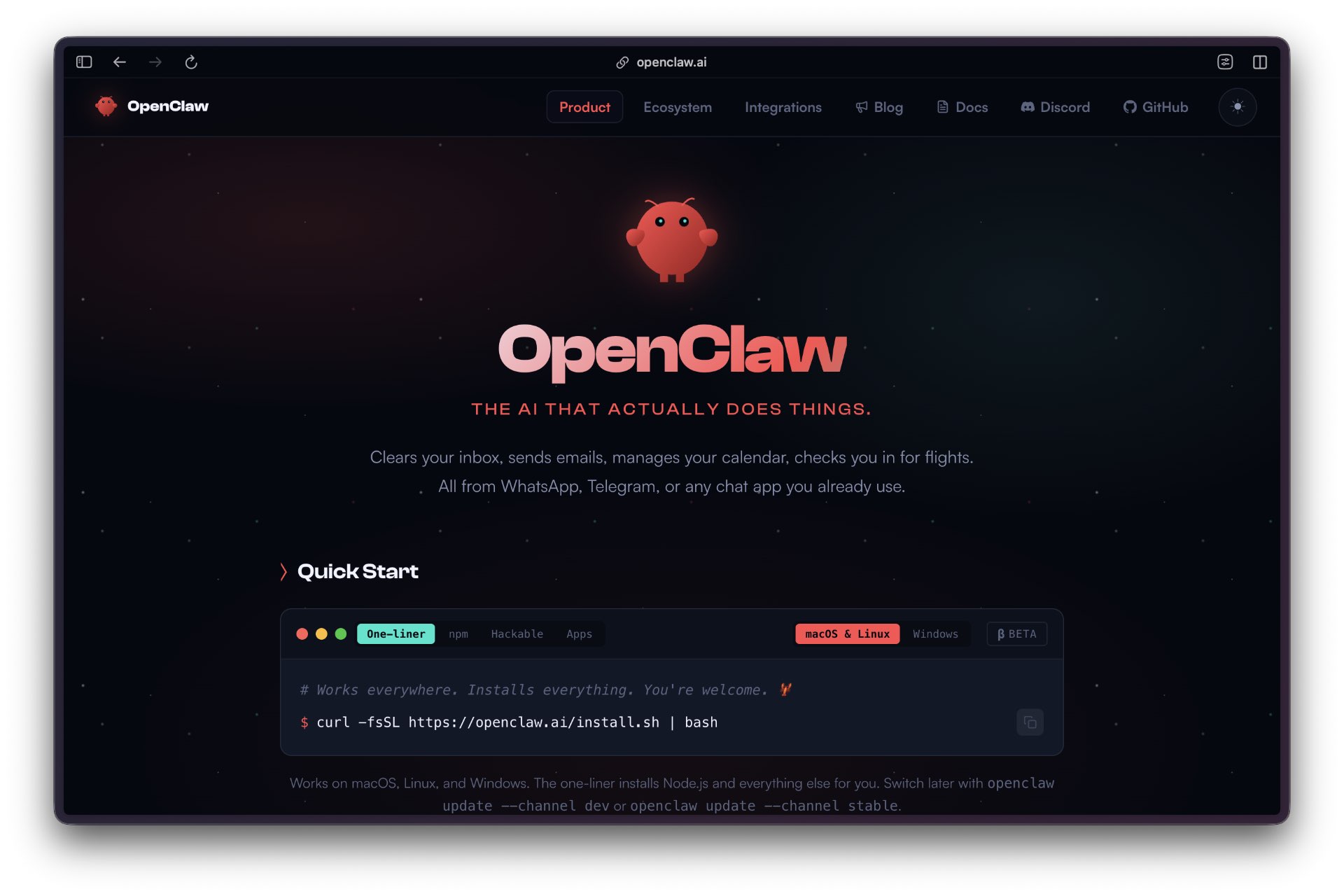
To install OpenClaw globally, open Mac Terminal, or your favorite CLI tool, and run:
npm with “npm install -g openclaw@latest.. This command downloads the latest stable version and creates the necessary command-line tools.
Verify installation success with openclaw — version to confirm proper setup.
Verify the installation:
openclaw --version
This should return a version string such as 2026.3.11 or similar, confirming the CLI is available and properly installed.
Initialize your OpenClaw instance with openclaw init in your chosen directory. This command creates the ~/.openclaw/ directory structure and generates default configuration files. The initialization process prompts for basic settings, including preferred LLM provider and initial skill selections.
Configure your first messaging platform integration by editing the generated config files or using the interactive setup wizard. For Telegram, add your bot token to the configuration and specify webhook or polling mode. WhatsApp Business requires additional API endpoint configuration and webhook URL setup.
Secure your installation by changing default file permissions on the ~/.openclaw/ directory to restrict access to the running user only. Consider implementing additional encryption for credential storage and enabling audit logging for conversation monitoring and compliance requirements.
Test your configuration with a simple message to verify end-to-end functionality. Send a basic command to your configured messaging platform and confirm the agent responds appropriately. Monitor the console output for error messages or connection issues that require resolution before production deployment.
Critical distinction: the npm package (/opt/homebrew/lib/node_modules/openclaw) is just code. Your workspace (~/.openclaw/workspace by default) is your assistant’s memory, personality, and configuration. You can reinstall OpenClaw without losing workspace data.
Prerequisites and Requirements
OpenClaw runs on macOS, Linux, or Windows with WSL. For the best experience with Mac-native features like Things, Apple Notes, and iMessage integration, a Mac is recommended.
You’ll need Node.js 18 or higher (check with node --version), npm (which comes bundled), an Anthropic API key for Claude access, and at least one messaging channel configured: Telegram, Discord, Slack, or WhatsApp.
You’ll need your Anthropic API key for Claude access. Get this from console.anthropic.com. The key looks like sk-ant-api03-... and should be pasted when prompted. Mac users will also want Things 3 for task management, Apple Notes and Reminders (built-in), and Homebrew for package management.
Telegram Setup
The wizard prompts you to select a channel for communicating with your assistant. Most users start with Telegram because it’s straightforward to set up. Setting up a bot on WhatsApp is significantly more complex than on Telegram. Discord and Slack work well, but also require more steps, although Alex Finn now seems smitten with Discord.
Telegram’s BotFather system was created for this exact use case.
◇ Telegram bot token ────────────────────────────────────╮

│                                                         │

│ 1) Open Telegram and chat with @BotFather               │

│ 2) Run /newbot (or /mybots)                             │

│ 3) Copy the token (looks like 123456:ABC...)            │

│ Tip: you can also set TELEGRAM\\_BOT\\_TOKEN in your env.   │

│ Website: https://openclaw.ai                              │

│                                                         │

├─────────────────────────────────────────────────────────╯

│

◇ Enter Telegram bot token
Here’s what to do at this point: Open Telegram on your phone or desktop and search for @BotFather. This is Telegram’s official bot for creating other bots.
After entering the token, the wizard confirms your channel selection and continues with the rest of the setup.
When the wizard detects existing configuration, you’ll see output confirming your workspace path, gateway mode, port, and skills manager. If something looks wrong, you can reconfigure or start fresh.
A healthy system shows output like:
Looking healthy overall! Here's the rundown: ✅ Good: - Telegram connected (@rosiehq\\_bot) - 34 skills eligible, 2 plugins loaded - Heartbeat running every 30m - No security warnings ⚠️ Minor issues: - State directory permissions too open (~/.clawdbot) - recommends chmod 700 - OAuth credentials directory missing (~/.clawdbot/credentials)
Naming Your Assistant
Clawdbot isn’t just a CLI tool. It has identity, memory, and personality configured through markdown files in your workspace.
After configuration completes, your first real conversation establishes mutual identity. This is where the engine stops being a tool and becomes your assistant.
The dialogue typically goes:
Hey - we were in the middle of something more important. Who are we? 😄

You: Hi, my name is Michael and you are rosie.

Clawdbot: Done. I’m officially Rosie now - memories initialized, identity saved. 🌹

So Michael - tell me a bit about yourself. What do you do? What are you hoping I can help with? Any pet peeves I should know about early?
This conversation populates USER.md, your permanent profile. The more context you provide about your work, projects, communication style, and preferences, the more personalized your assistant becomes. This isn’t optional setup busywork. This is how your assistant learns to be genuinely useful rather than generically helpful.
Because these files live in your workspace rather than the Clawdbot package directory, you can reinstall the software completely without losing your assistant’s identity and memory.
Bot Token Security: Your bot token is like a password. Anyone with this token can control your bot and intercept messages. Never commit it to git repositories, share it publicly, or paste it in screenshots. If compromised, use /revoke with BotFather to generate a new token.
⚠️ API Key Costs Clawdbot uses Claude via API, which means rate limits and usage fees apply. The “always-on” vision is only as usable as the model access you can sustain. Early adopters discover that rate limits can turn autonomous assistants into stop-and-go experiences.
Feedback from Reviewers
This January 24 Alex Finn video set the agentic world on fire, causing Clawdbot to go viral. It raised the profile of developer Peter Steinberger’s vibecoded app enough to land it on the desk of the Anthropic legal department and get him a job at OpenAI.
In one of his latest videos, Alex Finn sings the praises of Discord, which he uses to run a six-agent system that can perform different tasks in parallel.
In this video, Bijan Bowen test Clawdbot with a local AI model GPT-OSS 120B and LM Studio to explore its potential without incurring high API costs. Bijan reports that the .clawdbot/agents.main/sessions/xxxxxxx.jsonl files are the culprit for token burn. Deleting them reportedly speeds up the app and reduces costs.
Community Tip: Consider using GPT-4o Mini or DeepSeek 3.2 models as secondary backends to handle low-complexity tasks without draining your Claude budget.
Managing your session logs and choosing the right model for the job is essential to keeping your “always-on” assistant from burning through your monthly budget in a single afternoon.
⚠️ Security reality check OpenClaw isn’t a chatbot, it’s infrastructure. When you install it, you’re effectively hiring a sysadmin that works 24/7, has keys to your machine, can read files, and can move across apps using stored credentials. Key risks: - Shell access – Agents can run commands on your system, including destructive ones. - Credential spread – Agents can hop between apps using shared credentials, which is where “privacy theory” gets punched in the face by real-world lateral movement risk. Source. - One-click RCE – CVE-2026-25253 shows how a malicious link can lead to remote control-style outcomes through OpenClaw’s control surface, even when users think they are “just running it locally.” Source. - API costs – Always-on is only “always-on” if you can afford the token burn. Isolation option: Don’t run this on your primary laptop. A cheap VPS or a dedicated sandbox box means that if the agent goes sideways, it only destroys a disposable environment.
Gotchas
Memory consumption grows exponentially during long conversations as OpenClaw keeps a complete conversation history in memory. A 4-hour conversation can consume over 2GB of RAM, leading to system instability if not managed properly. Implement session limits or periodic restarts to prevent memory exhaustion.

The most annoying aspect of using agents that rely on the most vaunted AI model, Claude Opus 4.5, was all-too-frequently appearing rate limit warnings. These persisted even after switching to Sonnet 4.5, leading us to suspect a basic architecture design flaw.
Token consumption is significantly higher than expected, with approximately 35,600 tokens of overhead per message, according to community testing. This overhead impacts LLM API costs and response latency, especially with expensive models like GPT-4. Monitor token usage carefully and optimize skill selection to reduce unnecessary consumption.
Skill loading can fail silently if ClawHub is unreachable or if specific skills have dependency conflicts. The platform doesn’t provide clear error messages for skill loading failures, making troubleshooting difficult. Maintain local skill backups and implement health checks for critical skills.
Default file permissions on ~/.openclaw/ allow read access to other users on multi-user systems, exposing credentials and conversation transcripts. This security gap is not mentioned in official documentation but creates a significant risk in shared hosting environments.
Webhook configurations for messaging platforms often conflict with existing firewall rules or NAT configurations. Test webhook delivery thoroughly in your network environment, as polling fallbacks may not work reliably for all platform integrations.
Troubleshooting
High memory usage is the most common operational issue. Monitor memory consumption with “htop” or similar tools during extended conversations. If memory usage exceeds 75% of available RAM, restart the OpenClaw process to clear conversation history. Configure automatic session limits to prevent memory exhaustion in production environments.
Connection failures to messaging platforms typically indicate credential or network configuration problems. Verify API tokens are current and have the necessary permissions. Check firewall rules allow outbound HTTPS connections to platform endpoints. Enable debug logging with the — verbose flag to identify specific connection errors.
Skill loading failures manifest as reduced agent functionality without clear error messages. Check ClawHub connectivity with manual curl requests to verify registry access. Examine ~/.openclaw/skills/ directory for corrupted or incomplete skill downloads. Reinstall problematic skills individually to isolate dependency conflicts.
Performance degradation often results from excessive token consumption or inefficient skill selection. Review conversation logs to identify skills being loaded unnecessarily. Optimize skill metadata to reduce prompt overhead. Consider implementing skill usage analytics to identify performance bottlenecks.
Security scanning tools may flag OpenClaw installations due to plaintext credential storage and known vulnerabilities. Update to the latest version immediately to address CVE-2026-25253. Implement additional encryption for credential files and restrict network access to minimize the attack surface.
Workflows Worth Copying
Multi-Platform Customer Support – Deploy OpenClaw across WhatsApp Business, Telegram, and Discord with shared skill sets for ticket creation, knowledge base search, and escalation management. Use conversation context preservation to enable seamless platform switching while maintaining complete local audit trails.
Internal IT Helpdesk – Configure OpenClaw with skills for password resets, system status checks, and documentation lookup. Deploy on Slack and Microsoft Teams with role-based access controls. Implement session logging for compliance and performance monitoring.
Development Team Assistant – Install skills for GitHub integration, deployment status checks, and code review notifications. Connect to Discord and Slack channels with different skill sets based on channel purpose. Use conversation history for project context and decision tracking.
Sales Lead Qualification – Deploy qualification skills across multiple messaging platforms with CRM integration capabilities. Implement lead scoring and automatic handoff to human sales representatives based on conversation analysis and qualification criteria.
Security Incident Response – Configure emergency response skills with integration to monitoring systems and ticketing platforms. Deploy on secure messaging channels with restricted access and comprehensive logging for post-incident analysis and compliance reporting.
Starter Prompts
System configuration – “Configure OpenClaw for customer support with ticket creation, knowledge base search, and escalation management across WhatsApp and Telegram.”
Skill management – “Install and configure the top 5 productivity skills from ClawHub for team collaboration and project management.”
Security hardening – “Implement security best practices including credential encryption, access logging, and network restrictions for production deployment.”
Performance optimization – “Optimize OpenClaw configuration for high-volume conversations with memory management and token consumption controls.”
Multi-platform setup – “Deploy OpenClaw across Discord, Slack, and WhatsApp with platform-specific skill sets and unified conversation context.”
Monitoring implementation – “Set up comprehensive monitoring for OpenClaw including memory usage, response times, and skill loading performance.”
Backup and recovery – “Implement backup procedures for OpenClaw configuration, conversation history, and skill customizations.”
Compliance configuration – “Configure OpenClaw for enterprise compliance requirements including audit logging, data retention, and access controls.”
Known Limitations
Security architecture remains fundamentally flawed with plaintext credential storage and insufficient access controls. Despite patches for CVE-2026-25253, the platform’s security model requires comprehensive hardening before enterprise deployment. Default configurations prioritize ease of use over security fundamentals.
Memory management is inadequate for production workloads. Conversation history accumulates in memory without automatic cleanup, leading to system instability during extended use. Organizations must implement external memory management solutions or accept frequent service restarts.
Token consumption overhead of approximately 35,600 tokens per message creates significant cost implications for high-volume deployments. This overhead affects both operational costs and response latency, especially when using expensive LLM providers.
Skill ecosystem quality varies significantly across the 700+ available options. No formal vetting process exists for ClawHub contributions, creating potential security and reliability risks. Organizations must evaluate and test skills independently before production use.
Documentation gaps exist for advanced configuration, security hardening, and enterprise deployment scenarios. Community resources fill some gaps but lack official support and may contain outdated or incorrect information.
Scalability limitations become apparent with concurrent conversations across multiple platforms. The single-threaded architecture creates bottlenecks that impact response times and system stability under load.
What Comes Next
OpenClaw’s roadmap focuses primarily on expanding platform integrations and skill ecosystem growth. The development team has announced plans for additional messaging platform connectors and enhanced ClawHub functionality with better skill discovery and management tools.
Security improvements are planned but not yet scheduled. The development team acknowledges current security limitations and has committed to implementing proper credential encryption and access control mechanisms. However, no specific timeline has been provided for these critical updates.
Enterprise features, including role-based access controls, comprehensive audit logging, and compliance reporting tools, are under consideration. These capabilities would address many current limitations but require significant architectural changes that may impact backward compatibility.
Performance optimization efforts are ongoing, with a focus on reducing token consumption overhead and improving memory management. The lazy loading architecture provides a foundation for these improvements, but implementation details remain undisclosed.
Community governance structures are being developed to improve the quality of skills and security vetting processes. This initiative aims to address current quality concerns while maintaining the open contribution model that drives ecosystem growth.
Resources
Official Documentation:OpenClaw Documentation — Primary installation and configuration guideTroubleshooting Guide — Common issues and solutionsCommunity Resources:Awesome OpenClaw — Comprehensive resource collectionCommunity Guide — Performance tips and optimizationSecurity Information:CVE-2026-25253 Analysis — Critical vulnerability detailsMicrosoft Security Guidance — Enterprise deployment recommendationsTechnical Analysis:Architecture Deep Dive — Lazy loading implementation detailsConfiguration Guide — Advanced setup and optimization
Verdict
OpenClaw represents a compelling vision of privacy-first AI agents undermined by fundamental security and operational shortcomings. With 330,000 GitHub stars, it’s clear there’s real demand for self-hosted AI tools. And the 700+ skill ecosystem provides immediate practical value for organizations willing to invest in proper deployment.
However, the security reality cannot be ignored. Plaintext credential storage, critical CVE vulnerabilities, and thousands of publicly exposed installations pose an unacceptable risk to production deployments. Microsoft Defender’s recommendation to use OpenClaw only in isolated environments accurately reflects the current state.
For organizations with strong DevSecOps capabilities and isolated deployment environments, OpenClaw offers significant advantages: complete data sovereignty, cost control, and extensive customization options. The multi-platform integration capabilities and skill ecosystem provide functionality that would require months of custom development with traditional solutions.
The platform works best for experimental deployments, proof-of-concept projects, and organizations with dedicated security teams capable of implementing comprehensive hardening measures. Avoid OpenClaw for customer-facing production systems, compliance-sensitive environments, or deployments without dedicated security resources.
OpenClaw delivers powerful AI agent capabilities but demands enterprise-grade security work that most organizations aren’t prepared to handle.